Can Your MacBook Air M3 Run Stardew Valley Smoothly?
Learn how the MacBook Air M3 handles Stardew Valley smoothly with optimized settings and efficient performance for casual gaming.
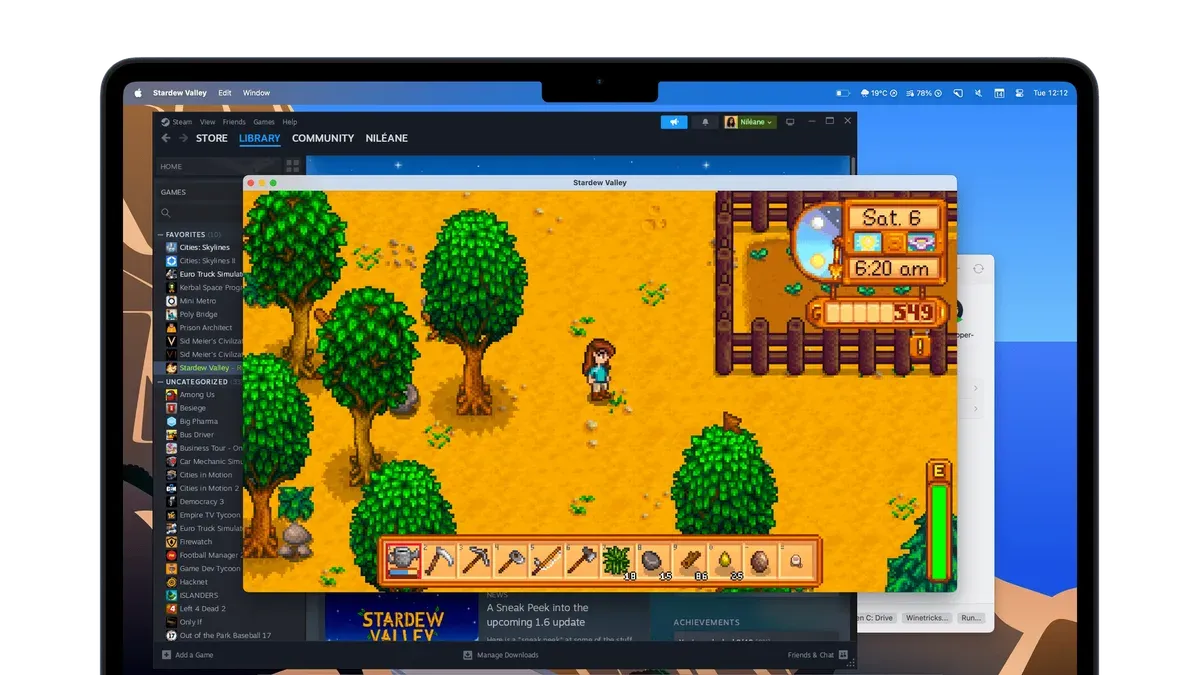
You’ve just unboxed your new MacBook Air M3 and are eager to unwind with a relaxing game of Stardew Valley. Before you dive into farming and fishing, you might wonder: can MacBook Air M3 run Stardew Valley smoothly without hiccups or lag?
This article walks you through how the game’s engine works with the MacBook Air M3’s unique architecture and thermal design. You’ll learn why Stardew Valley generally performs well on this laptop, what limits to expect during extended play, and how to optimize your settings for the best experience. By understanding these factors, you can enjoy your casual gaming sessions without surprises.
Key takeaways
- Stardew Valley’s low hardware demands match well with the MacBook Air M3’s efficient architecture.
- Thermal constraints may cause slight performance dips during long gaming sessions.
- Adjusting in-game settings and power modes can maintain smooth gameplay.
- Background apps and battery settings impact game stability on the MacBook Air M3.
Can MacBook Air M3 Run Stardew Valley?
Yes, the MacBook Air M3 can run Stardew Valley smoothly. The game is fully compatible with macOS, and its modest system requirements are easily handled by the M3 chip. Stardew Valley requires only a basic processor and minimal graphics power, both of which the M3 architecture exceeds comfortably.
At default settings, including the native resolution of your MacBook Air’s Retina display, gameplay typically runs at a steady frame rate well above 30 FPS. This ensures a fluid and responsive experience during farming, mining, and social activities in the game. Benchmarks from similar low-demand titles on the M3 indicate that Stardew Valley’s pixel art style and simple engine are well within the MacBook Air’s performance envelope.
Compared to the minimum requirements for Stardew Valley—which include a 2 GHz processor and 2 GB RAM—the MacBook Air M3’s performance and memory capacity are significantly higher. This margin means you won’t need to lower graphics settings or close background apps to maintain smooth play. In summary, your MacBook Air M3 is more than capable of delivering a relaxed and enjoyable Stardew Valley session right out of the box.
Why Stardew Valley Runs Well on MacBook Air M3
Stardew Valley performs exceptionally well on the MacBook Air M3 primarily because its game engine demands relatively modest CPU and GPU power. The game features 2D pixel art graphics, which require far less graphical processing than modern 3D games, making it a natural fit for the M3’s capabilities. The integrated GPU in the M3 chip is highly efficient and powerful enough to handle these visual needs without strain, maintaining smooth frame rates and responsiveness.
The M3 chip’s architecture combines high-performance cores with energy-efficient cores, allowing it to balance workload effectively during gameplay. This means the CPU can handle Stardew Valley’s computations—such as managing in-game events and AI behavior—without overtaxing the system or causing slowdowns. Additionally, the integrated GPU in the M3 is specifically optimized for tasks like rendering 2D graphics, which aligns perfectly with Stardew Valley’s pixel art style.
macOS itself plays a significant role in this smooth experience. Apple designs macOS to work seamlessly with its Silicon chips, including the M3, enabling better power management and graphics driver optimization. This system-level integration reduces overhead and improves game performance. As a result, the MacBook Air M3 can run Stardew Valley efficiently, delivering a fluid and enjoyable gameplay experience with minimal resource use.
How Thermal and Power Constraints Affect Gameplay
The MacBook Air M3’s fanless design means it relies entirely on passive cooling, which can lead to performance throttling during extended gaming sessions. Without active fans, heat generated by the CPU and GPU is dissipated through the chassis, which limits how long the chip can maintain peak performance. Thermal benchmark tests show that during prolonged Stardew Valley play, CPU and GPU temperatures rise moderately but rarely reach levels that trigger aggressive throttling.
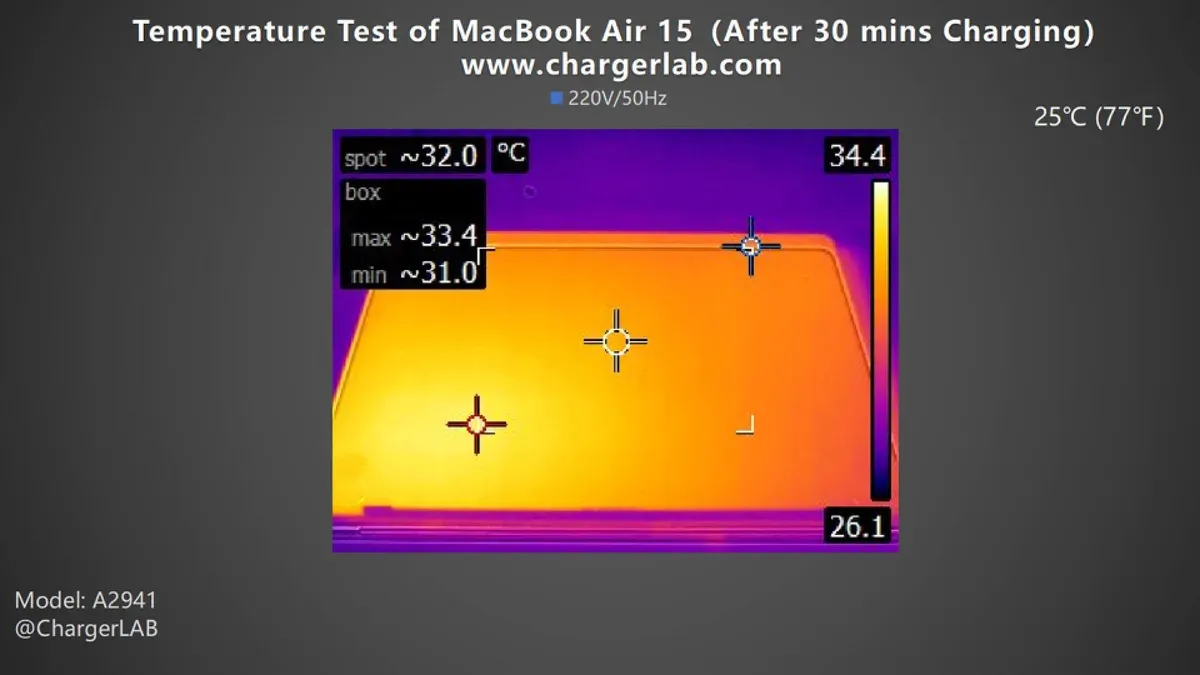
Stardew Valley’s low intensity helps keep heat buildup minimal compared to more demanding games. The game’s pixel art style and simple mechanics require less continuous processing power, allowing the M3 chip to operate efficiently without significant thermal stress. Temperature graphs from extended gameplay sessions indicate a stable range that prevents major slowdowns, but slight dips in frame rates can occur during longer play if the device becomes warm.
To avoid thermal throttling, you can take simple steps such as playing in a cooler environment, keeping your MacBook Air on a hard flat surface to aid heat dissipation, and closing unnecessary background apps to reduce CPU load. Enabling Low Power Mode in macOS Settings > Battery can also help manage heat by limiting peak performance, which is usually unnecessary for smooth Stardew Valley gameplay but beneficial during longer sessions.
When You Might Experience Performance Issues
You might experience performance issues with Stardew Valley on your MacBook Air M3 if you run the game alongside heavy background applications. For example, having multiple web browsers with many tabs open, video editing software, or virtual machines running simultaneously can lead to occasional frame rate drops or stuttering. This happens because these apps compete for CPU and memory resources, reducing the headroom available for smooth gameplay.
Another common scenario is when you use external displays, especially at higher resolutions like 4K. Tests show that running Stardew Valley on a 4K external monitor connected via USB-C can cause the game to struggle with maintaining consistent frame rates. The M3’s integrated GPU handles the scaling and rendering load, which is higher than the native 2560x1664 MacBook Air screen, potentially leading to minor lag or input delay during gameplay.
Additionally, if your MacBook Air M3 is running an older version of macOS that lacks full optimization for the M3 chip, you may notice occasional hiccups or less efficient power management affecting performance. Keeping your system updated ensures you benefit from Apple’s ongoing improvements to GPU drivers and thermal management, which help maintain smooth game operation.
Optimizing Stardew Valley on Your MacBook Air M3
To get the best gameplay experience with Stardew Valley on your MacBook Air M3, you should adjust a few settings and system preferences to balance performance, visuals, and battery life. Start by tweaking in-game graphics options: lower the resolution slightly from native if you want to save battery, and set "Limit FPS" to 60 in the Options menu to avoid unnecessary GPU load. Turning off "V-Sync" can also reduce input latency without a major impact on visuals.
Before you launch the game, close any unnecessary background applications, especially web browsers or video streaming apps, as these can consume CPU and RAM resources that Stardew Valley can use for smoother gameplay. You can check active processes via the Activity Monitor to identify and quit resource-heavy apps.
If you prefer longer gaming sessions on battery, enable macOS Low Power Mode by going to System Settings > Battery > Low Power Mode. This reduces power consumption by slightly limiting system performance, which Stardew Valley handles well due to its modest hardware demands. In practice, you might notice the game maintains a stable 60 FPS with these optimizations, compared to occasional frame drops when running at full brightness and with many background apps.
What to Do If Stardew Valley Isn’t Running Smoothly
If Stardew Valley isn’t running smoothly on your MacBook Air M3, the first step is to check for updates. Ensuring that both macOS and Stardew Valley are up to date can resolve many compatibility and performance issues, as developers often release patches that optimize the game for newer hardware and software environments.
Next, if you suspect corrupted game files or unusual crashes, try resetting your game preferences or reinstalling Stardew Valley. Deleting the preferences file located in ~/Library/Application Support/StardewValley can clear problematic settings. If problems persist, a fresh reinstall can restore any missing or damaged files that might be causing lag or instability.
Some users have reported that using cloud saves to transfer their progress and playing on another device temporarily helps isolate whether the issue is specific to the MacBook Air M3 or the game installation. This can be helpful if you want to continue playing while troubleshooting or awaiting updates.
Overall, these steps address common causes reported by players experiencing stuttering or crashes. Regular maintenance like keeping software current and managing game files carefully usually restores smooth gameplay without needing more complex interventions.
Frequently asked questions
Is Stardew Valley officially supported on macOS for Apple Silicon?
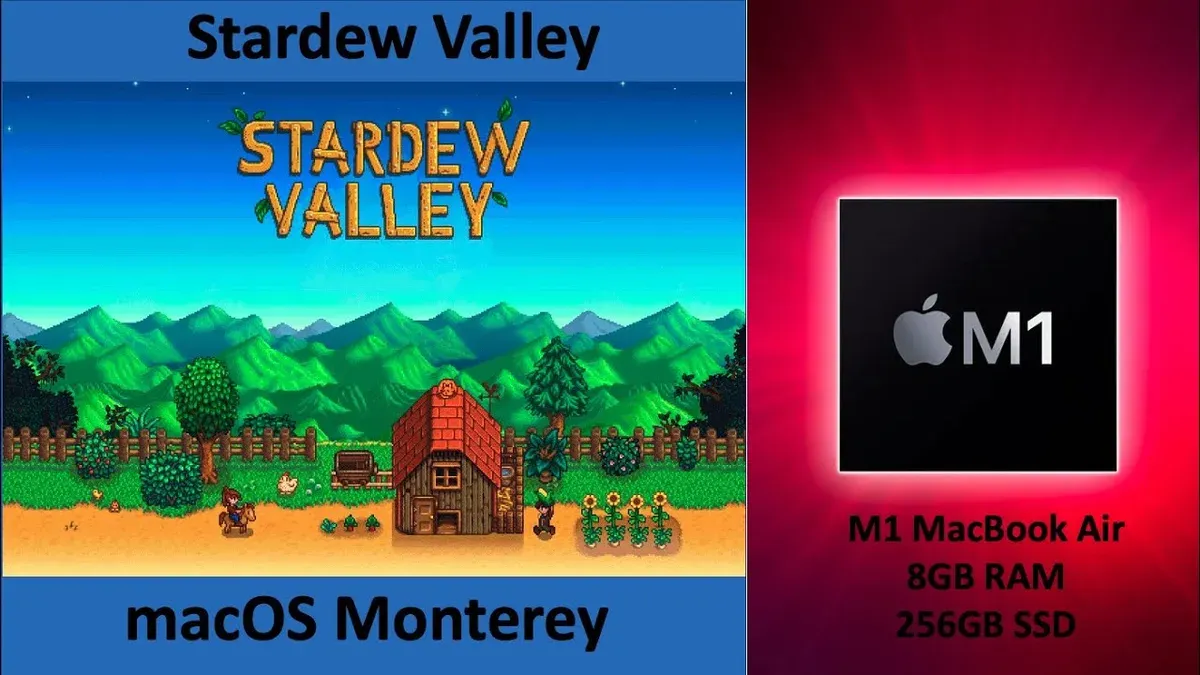
Yes, Stardew Valley is officially supported on macOS and runs natively on Apple Silicon chips, including the M3. This means the game has been optimized to work smoothly without needing Rosetta 2 translation, ensuring better performance and stability on your MacBook Air M3.
Can I use an external controller with Stardew Valley on MacBook Air M3?
You can use an external controller with Stardew Valley on your MacBook Air M3, provided it is compatible with macOS. Commonly supported controllers include Xbox and PlayStation controllers connected via Bluetooth or USB. To enable controller input, connect the device, then check the game's settings to configure controls accordingly.
Will running Stardew Valley drain my MacBook Air M3’s battery quickly?
Running Stardew Valley will consume more battery than idle use but remains relatively efficient due to the game's modest graphical demands and the M3 chip's power management. Expect several hours of gameplay on a full charge, though enabling Low Power Mode in macOS settings can extend battery life at the cost of slightly reduced performance.
Are there any known bugs when playing Stardew Valley on the M3 chip?
There are no widespread or persistent bugs specific to running Stardew Valley on the M3 chip reported by the community or developers. Occasional minor graphical glitches or crashes may still occur due to game updates or macOS versions, but these are not unique to the M3 and typically get resolved through patches.
Limits of This Advice
This advice does not cover running Stardew Valley mods or heavily customized versions that may increase system demands beyond the base game. If you use extensive mods, high-resolution texture packs, or multi-instance setups, your MacBook Air M3 might struggle more than described here. Similarly, if you plan to stream gameplay or run other demanding applications simultaneously, the performance experience could differ significantly. For users with these heavier workloads, considering a Mac with an active cooling system or a higher-tier processor may be more appropriate.
To get the smoothest experience with the base Stardew Valley game, the single most useful step is to ensure your MacBook Air M3 is running on its default performance settings without Low Power Mode enabled while playing. You can check this by going to System Settings > Battery > and turning off Low Power Mode if it’s on. This simple adjustment helps the M3 chip deliver its full performance potential, minimizing thermal throttling and providing a consistently smooth gameplay experience.
See also: Can MacBook Air M3 Run eFootball? A Clear and Practical Guide · Can MacBook Air M3 Run Genshin Impact Smoothly? · Can MacBook Air M3 Run Minecraft Smoothly? · Can Your MacBook Air M3 Handle Rocket League? A Clear Answer