Can You Upgrade RAM on the MacBook Air 15 Inch M5? A Clear Guide
Learn whether the MacBook Air 15 inch M5 can have its RAM upgraded and why choosing the right RAM at purchase is crucial.
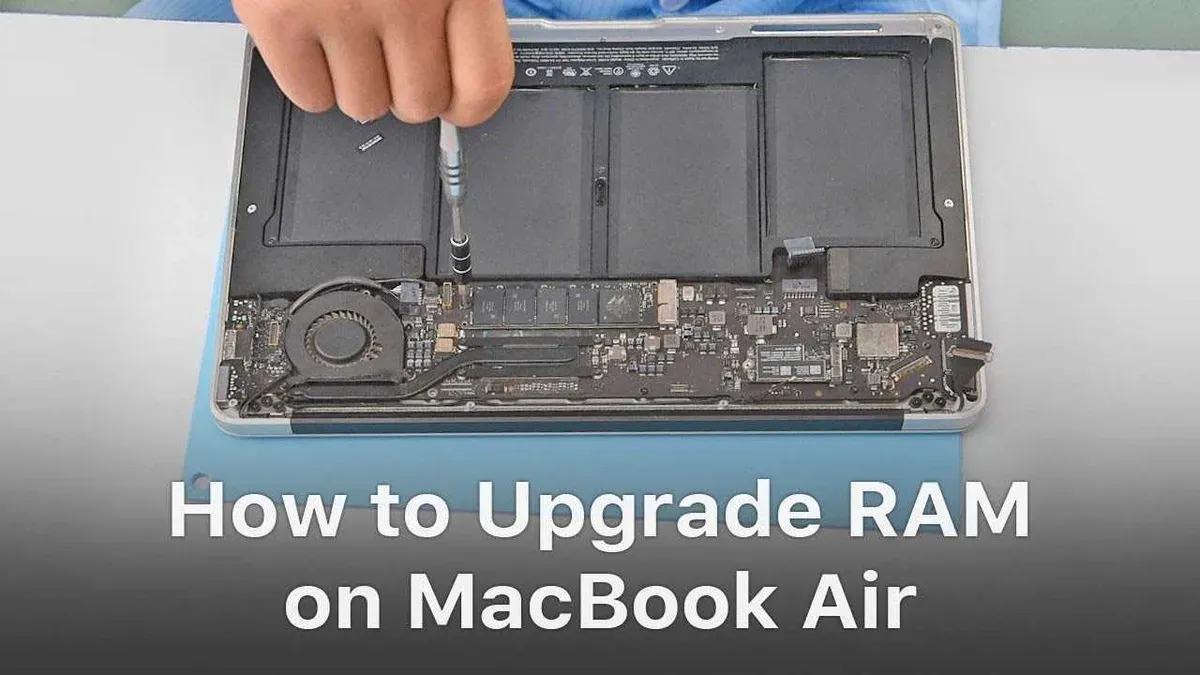
You’ve just ordered a MacBook Air 15 inch M5, or you’re thinking about it, and a question pops up: MacBook Air 15 inch M5 can RAM be upgraded later? This is a common concern, especially if you want your laptop to keep up with demanding tasks in the future.
This article explains the physical and technical realities around RAM upgradeability on this model. You’ll learn why you must choose your RAM configuration carefully at purchase, how it stacks up against other laptops, and what options you have if you need more RAM down the line. We’ll also clear up common misunderstandings that can lead to surprises after buying.
Key takeaways
- The MacBook Air 15 inch M5 has RAM soldered onto the motherboard, making physical upgrades impossible.
- You must select your preferred RAM size when buying, as it cannot be changed later.
- This design is typical for many thin and light laptops prioritizing compactness and efficiency.
- If you need more RAM after purchase, external solutions or cloud services may help but won’t increase physical RAM.
- Understanding this upfront saves frustration and helps you pick the right configuration for your needs.
Understand the MacBook Air 15 Inch M5 RAM Design
The MacBook Air 15 Inch M5 uses Apple’s unified memory architecture, which means the RAM is integrated directly into the system on a chip (SoC). Instead of traditional RAM modules that can be physically removed or replaced, the memory is soldered onto the motherboard during manufacturing. This design is confirmed by Apple’s official technical specifications and supported by teardown analyses, which clearly show there are no separate RAM slots inside the device.
This unified memory approach benefits performance and efficiency by allowing the CPU, GPU, and other components to access the same memory pool without duplicating data. This reduces latency and power consumption, ultimately resulting in a smoother and more energy-efficient user experience. For example, when the MacBook Air handles graphics-intensive tasks, the integrated memory allows faster data sharing between the processor and graphics cores.
However, this design also means that physical RAM upgrades after purchase are not possible. Unlike some laptops where you can add or replace RAM sticks, the MacBook Air 15 Inch M5’s memory is fixed. If you need more RAM, you must select the appropriate configuration when buying. This is a trade-off Apple makes to optimize performance and compactness but limits flexibility for future upgrades compared to laptops with traditional RAM slots.
Why You Should Choose Your RAM Configuration Carefully
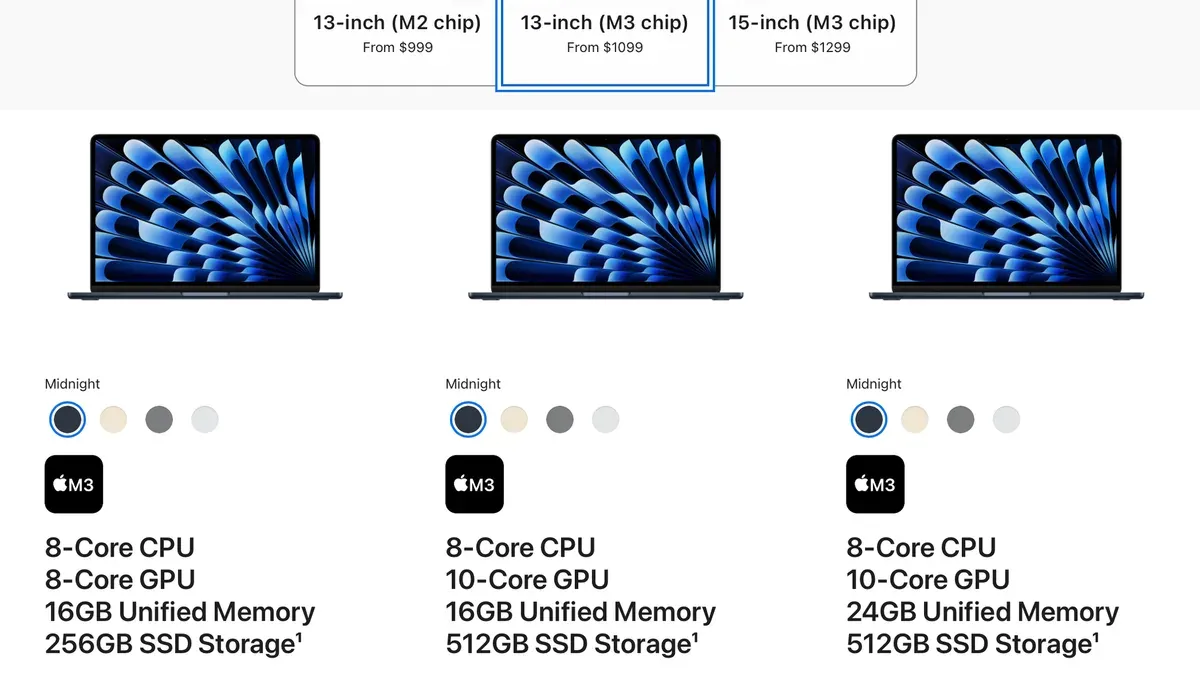
The MacBook Air 15 Inch M5 offers RAM configurations typically ranging from 8GB to 24GB. While 8GB suits everyday tasks like browsing and document editing, it can quickly become limiting when you open multiple apps or large files. For example, popular professional apps like Adobe Photoshop or Logic Pro can use several gigabytes of RAM each, causing slower performance or system swapping if memory is insufficient.
Benchmark data consistently shows that moving from 8GB to 16GB RAM reduces lag during multitasking and complex workflows. This means smoother video editing, faster code compilation, and less app reloading. Choosing 24GB benefits power users who run virtual machines or large databases, future-proofing the device against demanding software updates over time.
Consider your usage pattern: students and casual users often find 8GB or 16GB adequate, while creatives and developers benefit from 16GB or more. For instance, a developer running multiple IDEs, simulators, and browser tabs simultaneously will notice a significant performance boost with 16GB versus 8GB. Since upgrading RAM later isn’t possible, selecting the right amount at purchase ensures your MacBook Air keeps pace with your needs.
How RAM Upgradeability on the MacBook Air 15 Inch M5 Compares to Other Laptops
The MacBook Air 15 Inch M5 continues Apple’s approach of soldering RAM directly onto the motherboard, which means you cannot upgrade the memory after purchase. This differs significantly from many Windows ultraportables, where RAM modules are often socketed and user-replaceable, allowing for upgrades or replacements to extend device life or boost performance.
For example, popular Windows ultraportables such as the Dell XPS 13 or Lenovo ThinkPad X1 Carbon usually have accessible RAM slots, enabling users to increase memory from, say, 8 GB to 16 GB or more post-purchase. This flexibility can be advantageous if your needs grow over time or if you want to purchase a base model initially and upgrade later.
Looking back at Apple’s own lineup, models like the MacBook Air from 2015 to around 2020 sometimes allowed limited RAM upgrades, depending on the exact model. For instance, the 2015 MacBook Air featured removable RAM modules in some configurations, though from 2018 onward Apple moved firmly toward soldered RAM in both Air and Pro lines. This shift reflects Apple’s design priorities emphasizing thinness, battery life, and integrated performance.
| Model | RAM Upgradeability | Notes |
|---|---|---|
| MacBook Air 15 Inch M5 | No | RAM soldered, unified memory architecture |
| MacBook Air 2015 | Sometimes yes | Older models had removable RAM in certain configs |
| MacBook Pro (recent models) | No | RAM soldered for performance and efficiency |
| Dell XPS 13 | Yes | RAM modules usually accessible for upgrade |
| Lenovo ThinkPad X1 Carbon | Yes | Commonly supports RAM upgrades |
To picture this concretely, imagine you buy a Dell XPS 13 with 8 GB RAM today because you want to save money upfront. A year later, if your workload demands more memory, you can open the bottom panel and install a 16 GB module yourself or through a technician. With the MacBook Air 15 Inch M5, however, the amount you choose initially is fixed for the device’s lifetime. If you underestimate your RAM needs, there’s no physical way to add more later.
Apple’s trend toward non-upgradeable RAM reflects a balance between maximizing device slimness and power efficiency versus user flexibility. For buyers like you, this means careful consideration at purchase is key, unlike many Windows ultraportables that allow post-purchase upgrades.
What You Can Do If You Need More RAM After Buying
If you find that your MacBook Air 15 Inch M5 is struggling with memory-intensive tasks, there are practical steps you can take to ease the pressure on your available RAM. Start by optimizing your software environment: close unused apps and browser tabs, disable unnecessary startup programs via System Settings > General > Login Items, and monitor app memory use with Activity Monitor. These actions can free up RAM and improve responsiveness without hardware changes.
For graphics-heavy work, you might consider external solutions. Although the MacBook Air M5 does not support internal RAM upgrades, connecting an external GPU (eGPU) via supported Thunderbolt ports can offload graphics processing, reducing memory strain. Additionally, macOS uses swap files on your SSD to extend available memory, but relying heavily on swap can slow performance due to SSD wear and slower access times compared to RAM.
If your workload consistently exceeds your MacBook Air’s capabilities despite these measures, upgrading to a different Mac with more RAM may be the most cost-effective long-term approach. Selling your current device and purchasing a MacBook Pro or Mac Studio configured with higher RAM can offer a smoother experience. For example, a user editing 4K video might find that even with optimization and eGPU support, a Mac with 32GB or more RAM is necessary for seamless editing workflows.
Avoiding Common Misconceptions About MacBook Air 15 Inch M5 RAM
One common misunderstanding is the belief that third-party repair shops or DIY methods can upgrade the RAM on the MacBook Air 15 Inch M5. However, Apple’s design and repair policies make this impossible. The RAM is soldered directly to the motherboard, as confirmed by detailed teardowns by authorized technicians. Attempting to remove or replace it risks severe damage and voids any warranty or AppleCare coverage.
Another frequent confusion involves mixing up RAM and storage. Some users think they can upgrade RAM by swapping or expanding storage drives, but these components are entirely different. Storage upgrades, such as replacing SSDs, are also limited or non-existent in this model, but crucially, storage chips are separate from RAM and do not influence memory capacity or performance.
Finally, it’s a misconception to buy a cheaper MacBook Air 15 Inch M5 model with less RAM, hoping to upgrade later. This approach often leads to frustration and performance bottlenecks. For example, if you purchase an 8GB RAM model and later need 16GB, you cannot add RAM modules or swap parts. Instead, you may have to buy a new device with higher RAM, which is more costly than selecting the appropriate RAM at the start.
Frequently asked questions
Can I upgrade the RAM on my MacBook Air 15 inch M5 after purchase?
No, you cannot upgrade the RAM on the MacBook Air 15 inch M5 after purchase. The RAM is soldered directly onto the logic board, making it impossible to add or replace memory modules later. You must choose the desired RAM configuration when you order the device.
What is the maximum RAM for the MacBook Air 15 inch M5?
The maximum RAM available for the MacBook Air 15 inch M5 is 24 GB. This is the highest option offered by Apple for this model, and it must be selected at the time of purchase since upgrading afterward is not possible.
Does the MacBook Air 15 inch M5 support 32 GB RAM?
No, the MacBook Air 15 inch M5 does not support 32 GB of RAM. The system’s hardware and Apple’s configuration options top out at 24 GB, so 32 GB is not available for this model.
How much RAM do I really need for the MacBook Air 15 inch M5?
The amount of RAM you need depends on your usage. For everyday tasks like browsing, email, and light productivity apps, 8 GB is typically sufficient. If you work with more intensive applications such as video editing, programming, or multitasking with many apps, 16 GB or the maximum 24 GB will provide better performance and future-proofing.
What This Advice Does Not Cover
This article focuses exclusively on the RAM upgrade capabilities of the MacBook Air 15 Inch M5 model. It does not address RAM upgrade options for other Mac models, such as the MacBook Pro or older MacBook Air versions, which may have different hardware configurations. Additionally, future Apple releases could change the internal design and RAM upgradeability, so always check the latest official specifications if you are considering a different or newer model.
If you need a Mac with user-upgradable RAM or anticipate heavy multitasking that requires more memory flexibility, exploring other laptop lines or consulting with an Apple specialist before purchase might be the best approach.
Next Step: Confirm Your RAM Needs Before Purchase
Since the MacBook Air 15 Inch M5 has RAM soldered onto the motherboard, you cannot upgrade it later. The single most useful action you can take is to carefully evaluate your typical workload and choose the highest RAM configuration you realistically expect to need when you place your order. Think about your usual applications, multitasking habits, and how long you plan to keep the device. This upfront decision ensures your MacBook Air runs smoothly throughout its life without the option to add more memory down the line.
See also: Discover the MacBook Air 15 Inch M5 Specs: What You Need to Know · MacBook Air 15 Inch M5 Review 2026: Performance, Value, and Comparison