Can MacBook Air M3 Run League of Legends Smoothly?
This article reviews if the MacBook Air M3 meets the gaming needs to run League of Legends with good performance and smooth gameplay.
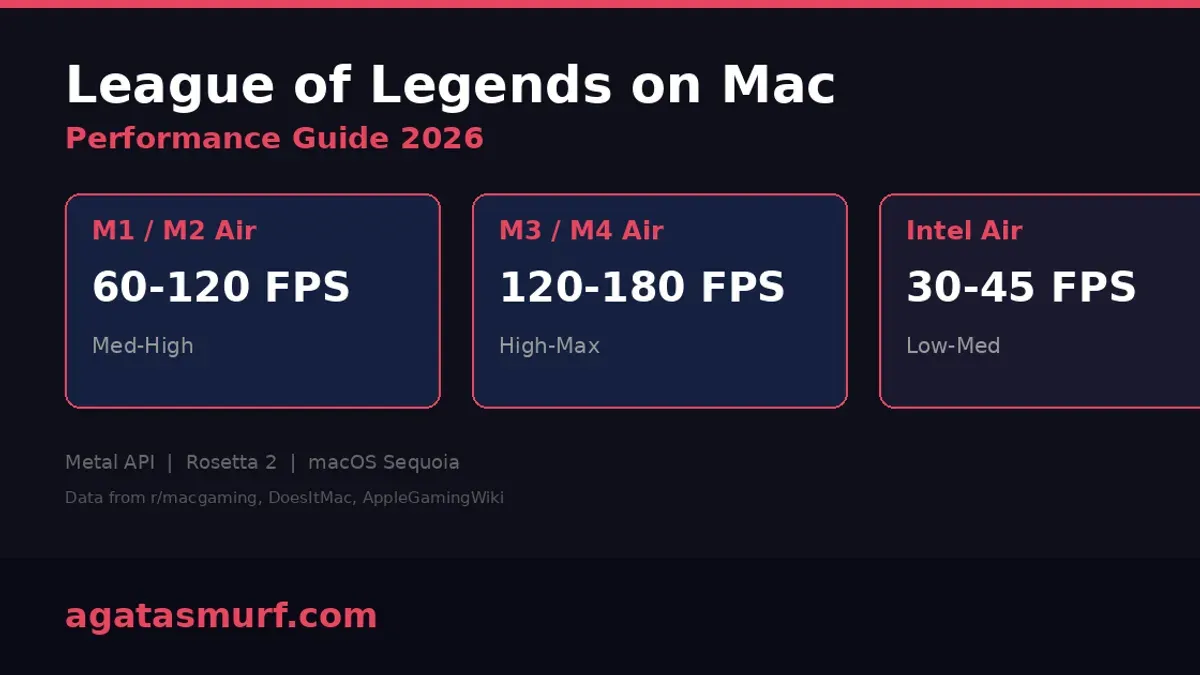
Many MacBook Air M3 users wonder if their laptop can handle League of Legends with good performance and gameplay quality. This article reviews the game’s system requirements, the MacBook Air M3’s hardware, and practical considerations to help you decide if this laptop meets your gaming needs.
Understanding League of Legends System Requirements
League of Legends (LoL) is designed to run on a wide range of devices, with relatively modest hardware demands compared to modern AAA titles. Riot Games provides minimum and recommended specs to ensure smooth gameplay.
- Minimum specs: A 2 GHz processor, 2 GB RAM, and a DirectX 9 compatible graphics card with 512 MB VRAM.
- Recommended specs: A 3 GHz processor or better, 4 GB RAM, and a DirectX 11 compatible graphics card with 1 GB VRAM or more.
For Mac users, Riot Games supports macOS 10.12 (Sierra) or later. The game runs natively on Apple Silicon chips, including the M3, benefiting from macOS optimizations and Rosetta 2 translation where necessary.
Key hardware factors affecting League of Legends performance include CPU speed, GPU capability, available RAM, and fast storage for load times. While the game is not graphically demanding, smooth frame rates and stable performance are essential for consistent gameplay.
MacBook Air M3 Hardware Overview Relevant to League of Legends
The MacBook Air M3 features Apple's latest M3 chip, integrating CPU and GPU cores efficiently.

- The M3 chip includes an 8-core CPU and up to a 10-core GPU, providing solid processing power for games like League of Legends.
- Unified memory architecture allows shared access between CPU and GPU, with configurations typically starting at 8 GB RAM. While this reduces latency and improves resource use, 8 GB may limit multitasking during gaming.
- Thermally, the MacBook Air uses a fanless design relying on passive cooling. This keeps the laptop silent but can cause thermal throttling during sustained heavy workloads like extended gaming sessions.
- Storage uses fast NVMe SSDs, significantly reducing game load times and asset streaming delays.
Compared to earlier Apple Silicon chips, the M3 delivers improved GPU performance and energy efficiency, making it suitable for light to moderate gaming.
Running League of Legends on MacBook Air M3: Practical Performance Insights
League of Legends runs well on the MacBook Air M3 across various graphics settings. Typical frame rates are:
- Low settings: Above 100 FPS, ensuring very smooth gameplay.
- Medium settings: Around 70 to 90 FPS, with occasional minor drops during intense team fights.
- High settings: Mostly above 60 FPS, though frame rates may dip in crowded scenes due to GPU load.
Load times for game startup and match loading are usually under 30 seconds, thanks to the fast SSD.
During extended play, the MacBook Air M3’s surface temperature rises, especially near the keyboard and underside. Passive cooling means the system may reduce clock speeds to manage heat, impacting sustained performance. Battery drain varies from 10% to 15% per hour depending on settings and screen brightness.
Compared to MacBook Pro models with active cooling or Windows laptops with dedicated GPUs, the Air M3 offers quieter operation and decent performance but may not sustain high FPS over long sessions.
Optimizing League of Legends on MacBook Air M3 for Best Experience
To optimize gameplay on your MacBook Air M3, consider the following:
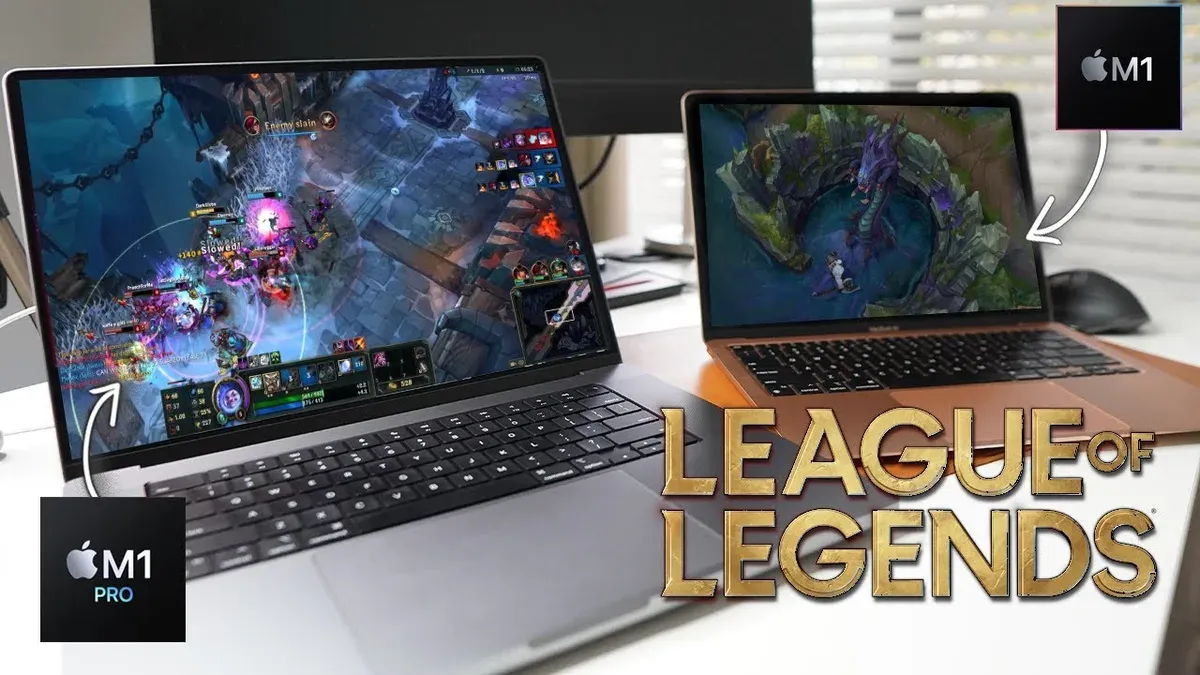
- Set in-game graphics to Medium: This balances visual quality and frame rates without overloading the GPU.
- Adjust resolution: Running at native 2560x1664 is possible, but lowering to 1920x1200 improves smoothness and reduces GPU load.
- Avoid enabling macOS Battery Saver mode while gaming: It limits CPU speed and can reduce performance.
- Close background apps: Use Activity Monitor to shut down unnecessary processes to free memory and CPU resources.
- Use an external cooling pad: Helps maintain lower temperatures during longer sessions and reduces thermal throttling.
- Consider a USB or Bluetooth game controller: For improved ergonomics and control.
One common oversight is neglecting to close background apps that consume CPU and RAM, which can cause frame drops. Also, users often miss adjusting resolution settings, which can significantly influence performance trade-offs between visual fidelity and smoothness.
Limitations and Who Should Consider Alternative Setups
The MacBook Air M3 suits casual to semi-competitive League of Legends play but has limitations:
- Its passive cooling design may cause performance throttling during prolonged gaming, reducing sustained frame rates.
- The integrated GPU, while capable for integrated graphics, cannot match dedicated gaming GPUs in raw power.
- macOS-specific compatibility quirks or driver issues can occasionally affect game stability or peripheral support.
- Players seeking ultra-high FPS or competitive eSports-level precision may prefer gaming laptops with dedicated GPUs and active cooling.
Frequently asked questions
Can the MacBook Air M3 run League of Legends smoothly at high settings?
Yes, it can generally run smoothly at high settings, but frame rates may occasionally dip during intense gameplay. Medium settings typically provide more consistent performance.
Is there any risk of overheating when playing League of Legends on MacBook Air M3?
The laptop can get warm due to its fanless design, but it usually stays within safe operating temperatures. Using a cooling pad can help during extended sessions to reduce thermal throttling.
How does battery life hold up during extended League of Legends sessions?
Battery life varies with settings and background activity, but expect around 6 to 8 hours of gameplay on a full charge.
Are there any macOS-specific tweaks to improve League of Legends performance on MacBook Air M3?
Closing background apps, adjusting graphics settings, and disabling features like automatic updates during play can help maximize performance.
Important Caveats
This advice is intended for casual to moderate players. Professional or high-competitive eSports players requiring ultra-high FPS and specialized peripherals should consider dedicated gaming hardware. Performance may also vary with future game updates or macOS versions affecting compatibility and optimization.