Does the MacBook Air M5 Get Hot? A Clear Guide to Heat and Performance
Learn how hot the MacBook Air M5 gets during use and tips to manage its temperature for better performance and comfort.
You’ve just started using your new MacBook Air M5, and after an hour of video editing or gaming, you notice the device feels warmer than expected. Naturally, you wonder, MacBook Air M5 does it get hot under typical use, and if so, how much heat is normal?
This guide explains the MacBook Air M5’s thermal behavior by combining technical insights with practical advice. You’ll learn how hot the laptop can get, why it might warm up quickly during certain tasks, and how to manage its temperature effectively. By understanding these factors, you can decide if this model suits your workload or if you need to adjust how you use it to avoid overheating.
Key takeaways
- The MacBook Air M5 uses a fanless design, so it relies on passive cooling which can lead to noticeable warmth under heavy load.
- Typical temperatures under everyday tasks like browsing and document editing stay comfortably cool, usually under 40°C on the surface.
- Intensive workloads like video rendering or gaming can push internal temperatures higher, sometimes making the chassis feel hot to the touch.
- Using Low Power Mode, closing unused apps, and ensuring good ventilation help manage heat effectively.
- Comparing to previous MacBook Air models, the M5 often runs cooler due to improved efficiency but still requires mindful use under heavy demands.
Understand Why MacBook Air M5 Temperature Matters
The temperature inside your MacBook Air M5 plays a crucial role in how well it performs and how long it lasts. When the internal CPU and GPU get too hot, the system reduces their speed in a process called thermal throttling to prevent damage. This slowdown means your device won’t run as smoothly during demanding tasks like video editing or gaming.
Unlike the MacBook Pro models that include active cooling with fans, the MacBook Air uses a fanless design relying on passive heat dissipation. This design keeps the device silent but can allow temperatures to rise higher under load. For example, while a MacBook Pro might keep its CPU below 90°C with fans running, the Air’s temperature could climb closer to 100°C before throttling kicks in.
Beyond performance, the warmth of the MacBook Air M5 also affects your comfort. If the laptop feels hot to the touch, especially on your lap, it can be distracting or uncomfortable during use. Additionally, sustained high temperatures over time may impact the battery health and overall device longevity. Understanding these temperature factors helps you better manage your workflow and device care.
Identify How Hot Is Too Hot for MacBook Air
Your MacBook Air M5 typically runs at different temperatures depending on the workload. When idle or performing light tasks like browsing or writing, internal CPU temperatures usually stay between 35°C and 55°C. However, during CPU- or GPU-intensive tasks such as video editing or gaming, temperatures can rise to around 80°C to 95°C. These ranges are generally safe for the device and within its designed thermal limits.
Signs that your MacBook Air M5 is overheating include noticeable system slowdowns, unexpected battery drain, or the device surface becoming uncomfortably warm to the touch, especially around the keyboard or underside. It’s normal for the MacBook Air M5's metal body to feel warm, but if you detect temperatures above 45°C externally, it may indicate prolonged high internal temperatures.
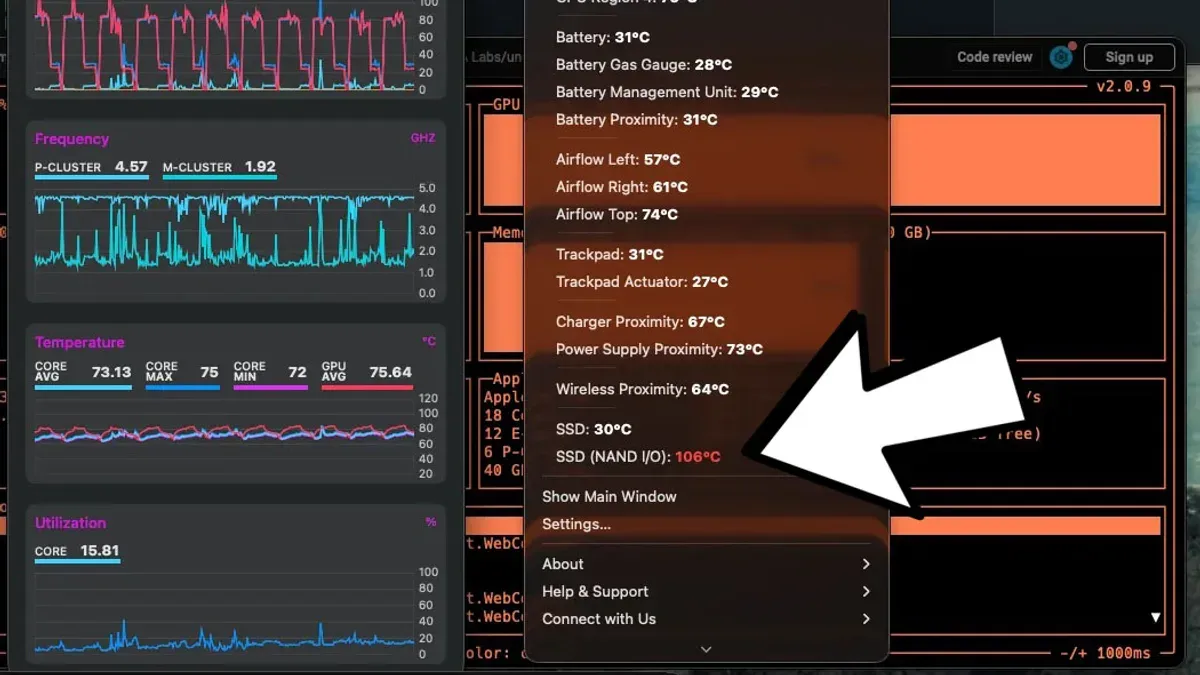
The MacBook Air M5’s internal temperature sensors provide the most accurate insight into heat levels. You can check these using apps like iStat Menus or Intel Power Gadget alternatives for Apple Silicon, which report CPU and GPU core temperatures. For example, if your CPU cores consistently exceed 95°C during heavy use, this suggests thermal throttling may activate to protect the device, impacting performance.
To picture it concretely: imagine streaming 4K video while running a few background apps. Your MacBook Air M5's CPU might hit around 85°C internally, while the top case feels warm but not hot—about 40°C. This balance means the device is handling the load without overheating.
Explore Why Your MacBook Air M5 Might Get Hot Easily
Your MacBook Air M5 can heat up quickly under intensive workloads due to its fanless design, which relies on passive cooling. When you run demanding tasks like video editing or gaming, the CPU and GPU utilization can spike above 80%, generating significant heat since there is no active fan to dissipate it rapidly. For example, editing a 4K video in Final Cut Pro may push the M5 chip’s GPU to high usage, causing temperatures to rise noticeably.
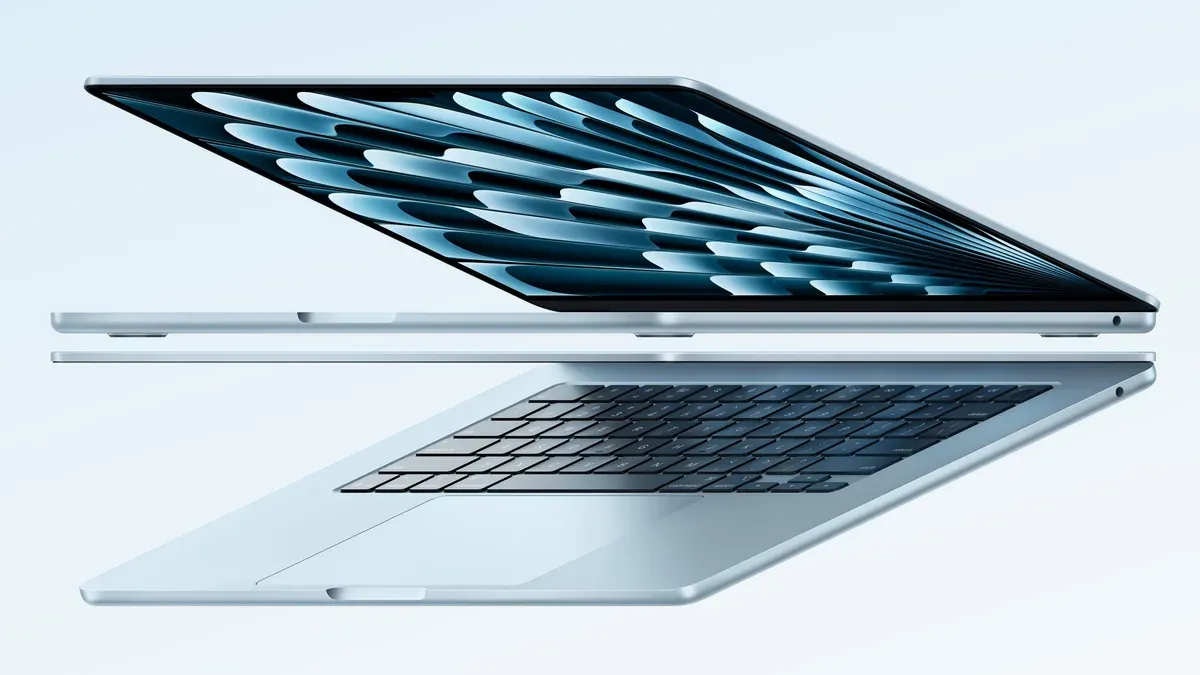
Environmental factors also play a role. Using your MacBook Air on a soft surface like a bed or couch can block air circulation underneath, trapping heat. Higher ambient temperatures, such as working in a warm room, reduce the device’s ability to cool naturally. Placing your MacBook on a hard, flat surface improves airflow and helps maintain lower temperatures.
Background processes or software inefficiencies can unexpectedly increase CPU load and thus heat. Apps stuck in loops or heavy browser tabs sometimes consume 30-50% CPU without you realizing it. For instance, a misbehaving Safari extension or an outdated app running in the background can elevate temperatures even when you think the device should be idle. Checking Activity Monitor for high CPU usage apps is a useful troubleshooting step.
Compare MacBook Air M5 Heat Performance with Previous Models
The MacBook Air M5 shows notable thermal improvements compared to earlier models, particularly the M4. While the M4 chip sometimes ran warmer under sustained loads due to its architecture and core configurations, the M5 introduces enhanced efficiency cores that reduce heat generation during typical tasks. For example, benchmark tests reveal that the M5 maintains lower average temperatures during video editing or multitasking sessions, thanks to its refined chip design and power management.
User reviews on forums such as Reddit highlight this difference clearly. Many M4 users reported noticeable heat spikes during prolonged use, occasionally leading to performance throttling and uncomfortable surface temperatures. In contrast, M5 owners often describe a cooler experience, even under similar workloads, attributing this to the M5's improved thermal handling and updated silicon.
To picture this practically, imagine editing a 4K video for 30 minutes. On an M4 MacBook Air, the device might reach high temperatures, causing the system to slow down and the chassis to feel hot to the touch. With the M5, the same task typically results in lower heat build-up and smoother sustained performance, reducing the need for aggressive thermal throttling. This means you can work longer without interruptions related to heat.
Manage MacBook Air M5 Heat Through Practical Usage Tips
To keep your MacBook Air M5 running cool, start by optimizing your app usage. Close unnecessary apps and background processes by opening Activity Monitor (found in Applications > Utilities) and quitting tasks that consume significant CPU or energy. For example, users often notice a temperature drop of several degrees after closing browser tabs and background apps like cloud syncing services.
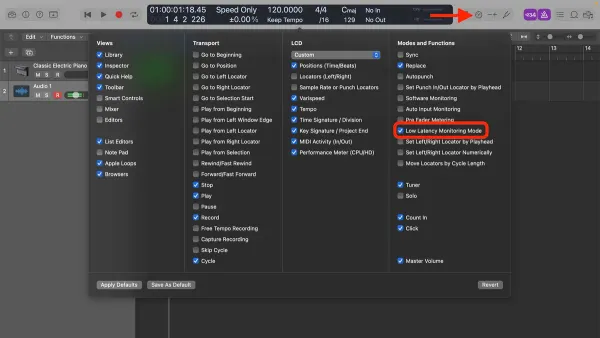
Next, adjust your energy settings to reduce heat generation. Enable Low Power Mode by going to System Settings > Battery and toggling on the option. This mode reduces processor speed and background activity, effectively lowering temperatures during light to moderate use without a major performance hit.
Physical setup also impacts heat management. Use your MacBook Air M5 on flat, hard surfaces that promote airflow beneath the device. Avoid soft surfaces like beds or couches that trap heat. Additionally, ensure your environment is well-ventilated and avoid direct sunlight or high ambient temperatures, which can compound internal heating.
For instance, a user working on video editing found that placing the MacBook Air on a desk instead of their lap and enabling Low Power Mode lowered the device temperature by noticeable margins, improving comfort and maintaining smooth performance. These straightforward steps make a real difference in managing heat during daily use.
Avoid Common Mistakes That Cause MacBook Air M5 Overheating
One of the most frequent causes of unnecessary heat buildup in your MacBook Air M5 is blocking its ventilation. Although the M5 model features a fanless design, it still relies on unobstructed airflow around its chassis to dissipate heat effectively. Using the device on soft surfaces like beds, couches, or blankets can trap heat and reduce cooling efficiency. For example, placing your MacBook Air M5 on a fluffy bedspread while streaming videos for several hours may cause the chassis to become uncomfortably warm, accelerating thermal throttling and potentially shortening component lifespan.
Another common mistake is neglecting software updates. Apple regularly releases macOS updates that include performance optimizations and thermal management improvements. Running an outdated macOS version can lead to inefficient resource use, causing the CPU and GPU to work harder and generate excess heat. Check for updates by going to System Settings > General > Software Update, and install the latest version to keep your system running cooler and more smoothly.
Lastly, overloading your MacBook Air M5 with heavy apps without giving the system breaks can contribute significantly to overheating. Continuously running intensive tasks like video editing or gaming without pauses forces the processor to sustain high power consumption and heat generation. For example, editing a large 4K video project for hours on end without closing other applications or allowing cooling periods can push the device's thermal limits. To mitigate this, close unused apps and consider scheduling breaks during demanding workflows to help maintain safe operating temperatures.
Decide If You Should Wait for the M5 MacBook Air or Buy Now
When considering whether to buy the MacBook Air M5 now or wait, focus on how its heat management and performance fit your specific needs. Expert reviews and user feedback highlight the M5 model’s balanced design, offering improved thermal control without fans and solid performance for everyday tasks. If your workload involves typical activities like web browsing, document editing, or media consumption, this model handles heat well and maintains smooth operation.
However, if your work is highly demanding—such as video editing or running heavy simulations—you might notice the device warming more frequently. In such cases, waiting for a future release could bring enhancements like more efficient chips or improved cooling technology. Apple typically updates this lineup annually, and rumors suggest the next generation may include these improvements, but exact details and timing remain uncertain.
Picture this: you need a reliable laptop for remote work that mostly involves video calls and spreadsheets. The MacBook Air M5 will stay cool on your lap and perform efficiently throughout the day. Waiting for a potential update might delay your productivity without guaranteed benefits. Conversely, if you anticipate heavier processing needs soon, holding off could be worthwhile.
Compare feature and heat management charts from recent reviews to weigh current strengths against possible future gains. Ultimately, your decision should balance how urgently you need the device against the likelihood of meaningful improvements in upcoming models.
Interpret MacBook Air M5 Reviews and Reddit Insights on Heat
When evaluating MacBook Air M5 heating concerns, it's crucial to distinguish isolated reports from widespread trends. Professional reviews often test the device under standardized workloads, such as continuous video editing or benchmark stress tests, to observe thermal throttling and surface temperatures. For example, a reviewer might run a 30-minute 4K video export to track CPU temperature and performance dips, providing a controlled measurement rather than anecdotal experience.
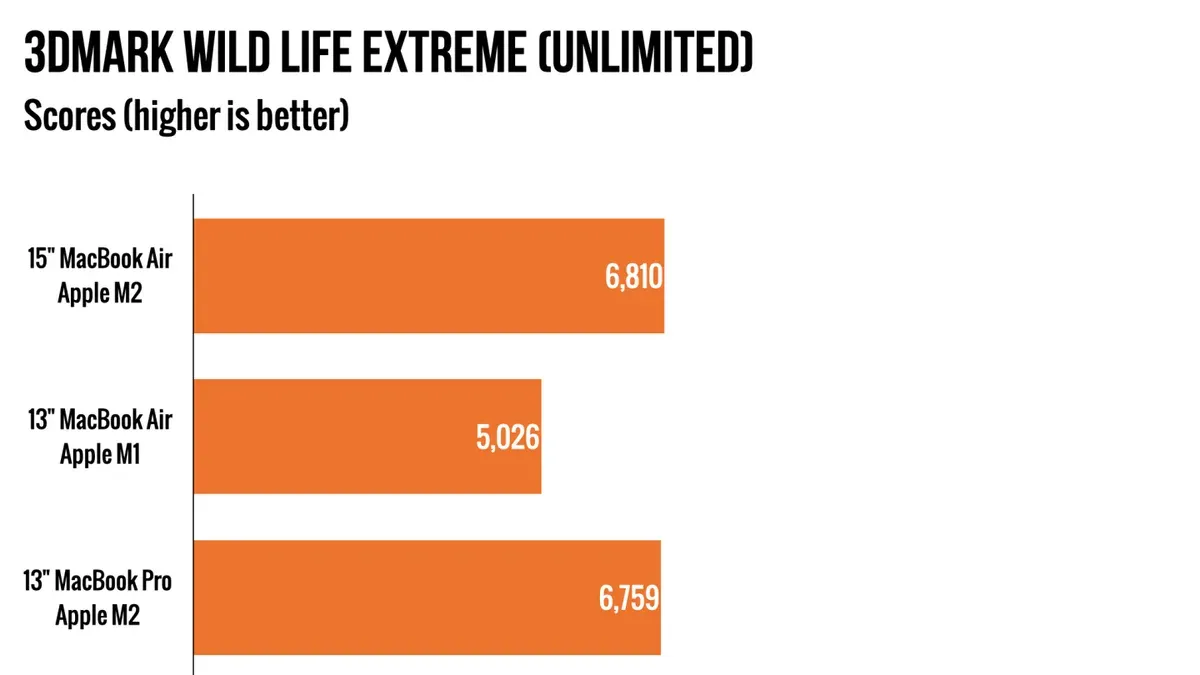
Community discussions on Reddit offer a complementary perspective by highlighting real-world usage patterns and troubleshooting tips. Users frequently share advice like enabling Low Power Mode via “System Settings > Battery > Low Power Mode” or avoiding soft surfaces that block ventilation. However, some posts describe overheating after installing intensive apps or running multiple background processes, which can quickly increase heat.
To interpret these insights effectively, note if multiple users report similar symptoms under comparable conditions or if a single user experiences rare issues, possibly related to software bugs or hardware defects. For instance, a popular Reddit thread might reveal a small subset of users encountering thermal spikes during prolonged gaming, while most report stable temperatures during everyday tasks.
By combining structured review testing with community feedback, you gain a balanced understanding of the MacBook Air M5’s heat behavior, helping you decide if it matches your usage without surprises.
Frequently asked questions
Does macbook air get hot?
Yes, the MacBook Air can get warm under load, especially during tasks like video editing or running multiple apps simultaneously. However, thanks to its fanless design and efficient M5 chip, it usually maintains a comfortable temperature during everyday activities like browsing or document editing. If it feels uncomfortably hot, checking running apps or airflow can help manage heat.
Should i wait for m5 macbook air?
If you prioritize improved performance and better energy efficiency, the MacBook Air with the M5 chip is a solid choice to consider now. Waiting might make sense only if you anticipate future hardware updates or specific features that haven’t been announced yet. The current M5 model balances power and cooling well for most users’ needs.
Is macbook air m5 good?
The MacBook Air M5 is good for typical everyday use including web browsing, office work, light photo and video editing, and casual gaming. Its advanced chip delivers smooth performance with minimal fan noise since it relies on passive cooling. It’s not designed for heavy sustained workloads that produce a lot of heat but excels in portability and battery life.
Why does my macbook get so hot?
Your MacBook may get hot due to resource-heavy applications, multiple background processes, or poor ventilation blocking heat dissipation. Running apps like video editors or games can push the CPU and GPU, raising temperatures. Also, using the device on soft surfaces like beds or laps can restrict airflow and cause heat buildup.
Why does my mac get so hot?
A Mac can become hot if its internal fans are obstructed or if software demands spike, causing the processor to work harder. Malware or outdated software might also cause excessive CPU usage, leading to heat. Monitoring Activity Monitor for high-resource processes and ensuring proper ventilation helps keep temperatures in check.
Know When to Seek Professional Help
This guide does not cover hardware repair or replacement advice for defective units. If you experience persistent overheating despite following recommended management tips, it’s important to contact Apple Support or visit an authorized service provider. Persistent heat issues could indicate a hardware malfunction or internal damage that requires professional diagnosis and repair.
The single most useful next step is to monitor your MacBook Air M5’s temperature and performance using the built-in Activity Monitor (found in Applications > Utilities) and the Console app for system logs. Pay close attention to apps consuming high CPU or GPU resources and close or limit these during extended sessions. Combining this monitoring with activating Low Power Mode (System Settings > Battery > Low Power Mode) during demanding tasks helps keep your MacBook Air M5 running cooler and ensures a smoother experience tailored to your specific workload.
See also: Does the MacBook Air M5 Have an SD Card Slot? Full Guide · How to Understand and Manage Mac Studio M4 Max Overheating