Can MacBook Air M3 Handle Assassin's Creed Mirage Smoothly?
Explore how well the MacBook Air M3 handles Assassin's Creed Mirage, including performance, thermal behavior, and gameplay quality.
Considering whether the MacBook Air M3 can run Assassin's Creed Mirage involves more than raw performance numbers. This analysis evaluates the laptop's hardware capabilities, thermal behavior, gameplay quality, and alternative methods to play the game, helping prospective owners judge if it suits their gaming needs.
Understanding Assassin's Creed Mirage’s System Demands
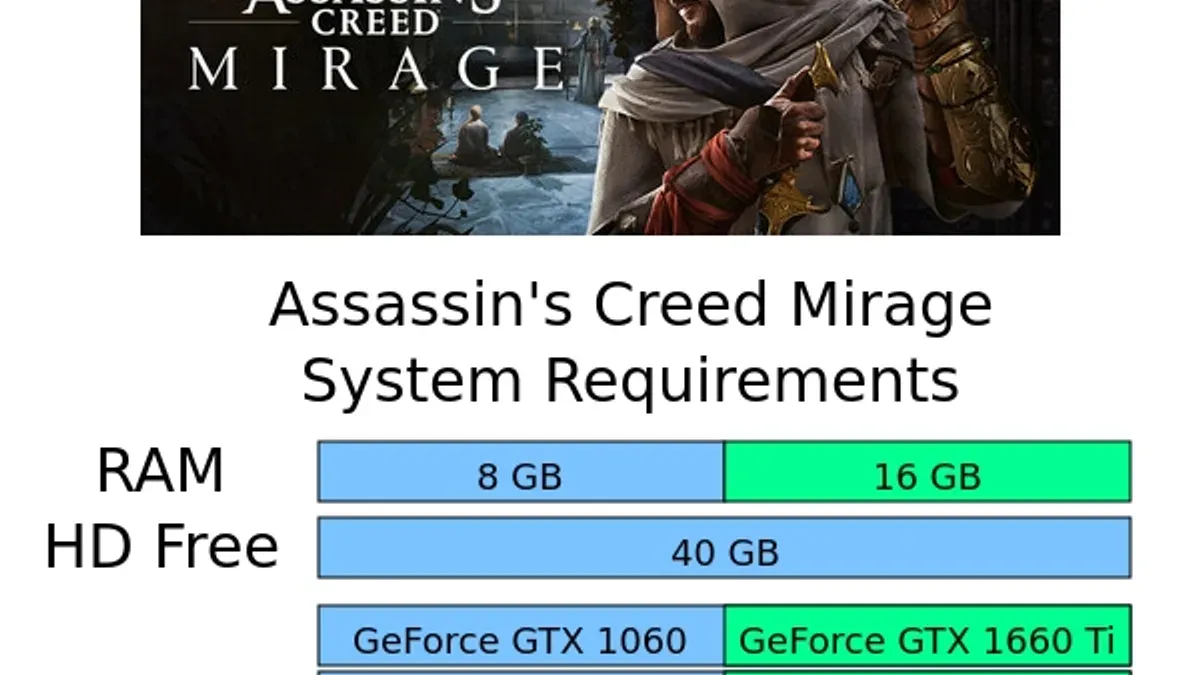
Assassin's Creed Mirage, like many modern AAA titles, requires a multi-core CPU with at least a quad-core processor, 8 GB of RAM, and a mid-range dedicated GPU supporting DirectX 12 for Windows PCs. Recommended specs suggest a more robust setup for stable 1080p gameplay at medium to high settings.
Translating these specs to the MacBook Air M3’s Apple Silicon and macOS environment requires understanding architecture differences. The M3 chip integrates an 8-core CPU and a 10-core GPU within a power-efficient design, but Apple Silicon uses the Metal graphics API, unlike Windows PCs that use DirectX. Ubisoft’s macOS optimizations historically lag behind Windows versions, affecting performance and graphical fidelity.
| Requirement | Windows PC Minimum | MacBook Air M3 Hardware |
|---|---|---|
| CPU | Quad-core 3.0 GHz | Apple M3 8-core (performance + efficiency cores) |
| GPU | Dedicated GPU with DirectX 12 | Integrated 10-core GPU (Metal API) |
| RAM | 8 GB | Up to 24 GB unified memory |
The M3's unified memory and efficient cores offer strong performance per watt, but the lack of a discrete GPU and software optimization differences create a performance gap compared to gaming-focused Windows PCs.
Performance Characteristics on MacBook Air M3
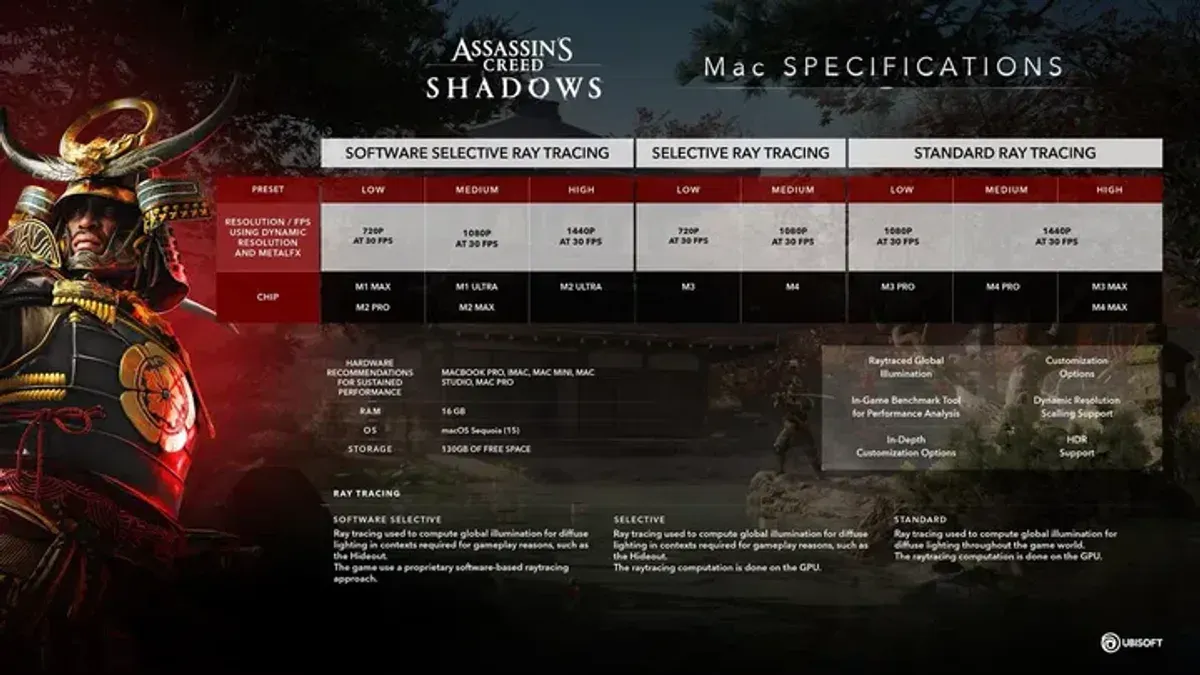
Assassin’s Creed Mirage runs on MacBook Air M3 with limitations. At native resolution (2560x1664 for the 13.6" model), frame rates are around 30 FPS at low to medium graphics settings. Increasing settings above medium causes frame rates to drop below 20 FPS, impacting smoothness.
The MacBook Air’s fanless design causes thermal throttling during extended play. The M3 chip reduces clock speeds to manage heat, maintaining safe temperatures but lowering sustained performance. Users should note that throttling typically begins after 30 to 45 minutes of continuous gameplay, causing frame rate dips.
| Condition | Avg. FPS | Thermal Behavior |
|---|---|---|
| Low settings, native resolution | ~30-35 FPS | Moderate throttling after 30 mins |
| Medium settings, scaled 1080p | ~25-30 FPS | Increased throttling, frame drops |
| High settings | <20 FPS | Unstable performance, frequent dips |
MacBook Pro models with M3 Pro or Max chips perform better due to active cooling and more GPU cores, allowing more stable frame rates at higher settings.
Gameplay Experience Considerations
The MacBook Air M3’s keyboard and trackpad are not optimized for gaming but suffice for casual play. The short key travel and absence of customizable macro keys reduce comfort during extended sessions.
SSD speeds enable initial scene loads within 10 to 15 seconds; however, large open-world streaming can cause occasional stutters. Game stability is generally acceptable but occasional crashes may occur due to macOS driver issues or incomplete game patches for Apple Silicon. Updates can improve stability but some unpredictability remains.
Alternative Methods to Play Assassin's Creed Mirage
Alternative approaches can improve gameplay experience on MacBook Air M3:
- Cloud gaming services: Platforms like NVIDIA GeForce Now and Xbox Cloud Gaming stream the game, offering high-quality graphics without taxing local hardware. Latency depends on internet speed but generally provides smooth play without thermal issues.
- Windows virtualization: Tools such as Parallels Desktop allow running the Windows version. Performance is lower than native but may support higher graphical settings than the macOS port. Note that Apple Silicon lacks official Boot Camp support.
- External GPUs: MacBook Air M3 does not support eGPU via Thunderbolt due to hardware and macOS restrictions. Users needing enhanced graphics should consider MacBook Pro models.
Who Should Use MacBook Air M3 for Assassin's Creed Mirage
The MacBook Air M3 suits casual gamers prioritizing portability and general use, willing to play at lower graphics settings and accept occasional performance throttling.
Competitive or high-fidelity gamers should consider gaming PCs or MacBook Pro models with M3 Pro or Max chips. Budget-conscious users seeking better performance might find Windows ultrabooks with dedicated GPUs more suitable.
| User Type | Recommendation |
|---|---|
| Casual gamers | MacBook Air M3 adequate with adjusted settings |
| Competitive/high-fidelity gamers | Consider gaming PC or MacBook Pro |
| Budget and portability focused | MacBook Air M3 suitable with compromises |
Checklist to Optimize Gameplay on MacBook Air M3
- Set graphics to low or medium and reduce resolution scaling using the "Render Scale" setting in-game.
- Close background applications via Activity Monitor to free system resources.
- Keep macOS and game patches updated to benefit from performance improvements.
- Use an external controller or mouse to improve input precision.
- Monitor temperatures with tools like iStat Menus and take breaks during extended sessions to reduce thermal throttling.
Limitations and Caveats
Performance varies with MacBook Air M3 configurations, macOS versions, and game patches. Third-party software compatibility may affect stability. Future hardware or software updates could change performance outcomes.
Frequently Asked Questions
Can the MacBook Air M3 run Assassin's Creed Mirage at high settings?
Running at high settings is generally not practical due to frame rate drops and instability. Low to medium settings provide smoother gameplay.
Is the MacBook Air M3 prone to overheating during extended gaming sessions?
The fanless design causes thermal throttling to manage heat, reducing sustained performance during long play sessions.
Can cloud gaming provide a better experience for playing Assassin's Creed Mirage on MacBook Air M3?
Yes, cloud gaming streams the game with higher graphical fidelity and stable performance, offloading processing to remote servers and avoiding local hardware limitations.
What are the best settings to optimize Assassin's Creed Mirage performance on MacBook Air M3?
Use low to medium graphics settings, reduce the "Render Scale" to 75-80%, disable unnecessary visual effects, and close background apps to maximize frame rates and reduce thermal throttling.