Can MacBook Air M3 Run Assassin's Creed Shadows Smoothly?
Explore how the MacBook Air M3 handles Assassin's Creed Shadows and tips to optimize gameplay beyond benchmark numbers.
Owners and potential buyers often ask if the MacBook Air M3 can handle Assassin's Creed Shadows smoothly. This article examines the MacBook Air M3’s architecture and offers practical advice on optimizing gameplay beyond benchmark numbers.
Understanding the MacBook Air M3’s Hardware Constraints for Gaming
The MacBook Air M3 uses Apple's M3 chip, integrating CPU and GPU cores on a 3nm process for energy-efficient performance. However, its fanless design limits heat dissipation, affecting sustained gaming performance.
- M3 Chip and Integrated GPU: The M3 has up to 10 GPU cores but lacks a dedicated graphics card, which restricts raw graphics power compared to gaming GPUs.
- Thermal Design: Passive cooling means the system throttles CPU and GPU speeds under prolonged load to prevent overheating, often after 20-30 minutes of gaming.
- Memory Architecture: Unified memory ranges from 8GB to 24GB with high bandwidth. While more RAM helps with texture loading and multitasking, it cannot compensate for GPU limitations.
- Comparison to Gaming Devices: Gaming laptops and consoles use discrete GPUs and active cooling, enabling higher and more stable performance. The MacBook Air M3 prioritizes portability and efficiency over gaming power.
Assassin's Creed Shadows Gameplay Demands and System Requirements
Assassin's Creed Shadows is a modern action-adventure game requiring significant CPU and GPU resources.
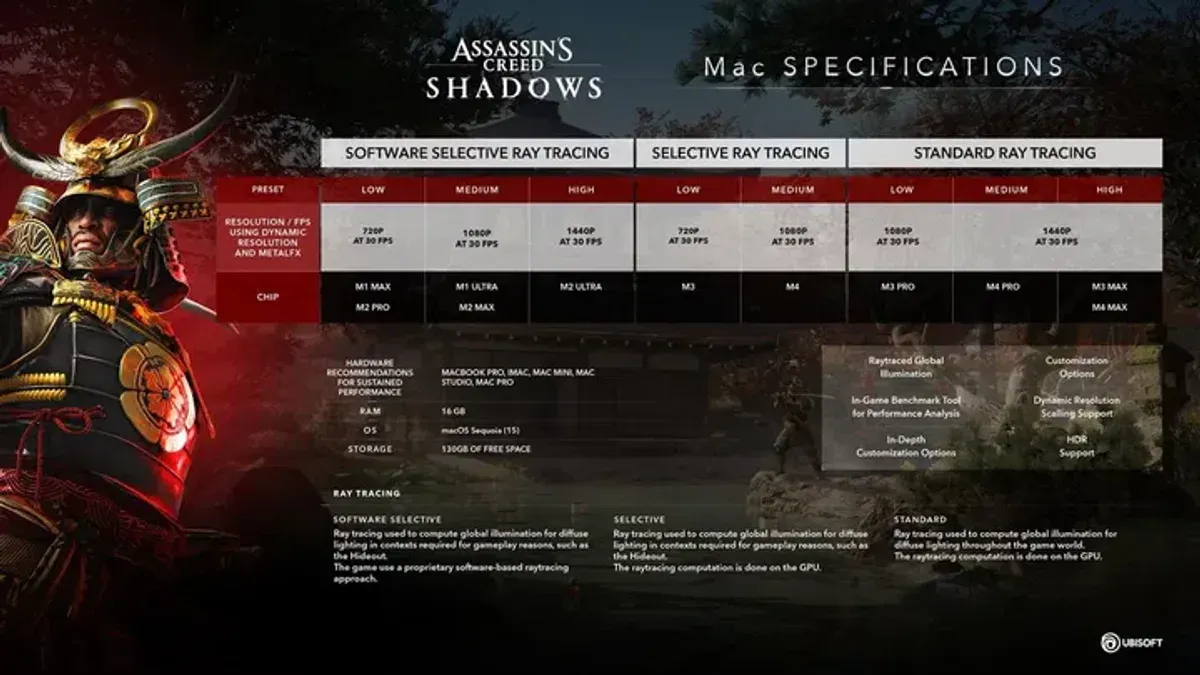
- Official Specs: Ubisoft's minimum requirements call for mid-range dedicated GPUs; recommended specs exceed what integrated graphics can reliably deliver.
- Graphics Features: Ray tracing, high-resolution textures, and complex lighting demand GPUs with dedicated ray tracing cores and ample VRAM.
- Frame Rate Targets: Smooth gameplay targets 30-60fps, with 60fps preferred for responsiveness.
- Comparison to Other Ubisoft Titles: Assassin's Creed Shadows is more demanding than previous entries due to enhanced world detail and lighting effects.
Performance Testing: Running Assassin's Creed Shadows on MacBook Air M3
Running Assassin's Creed Shadows natively on the MacBook Air M3 requires specific settings adjustments for playability.
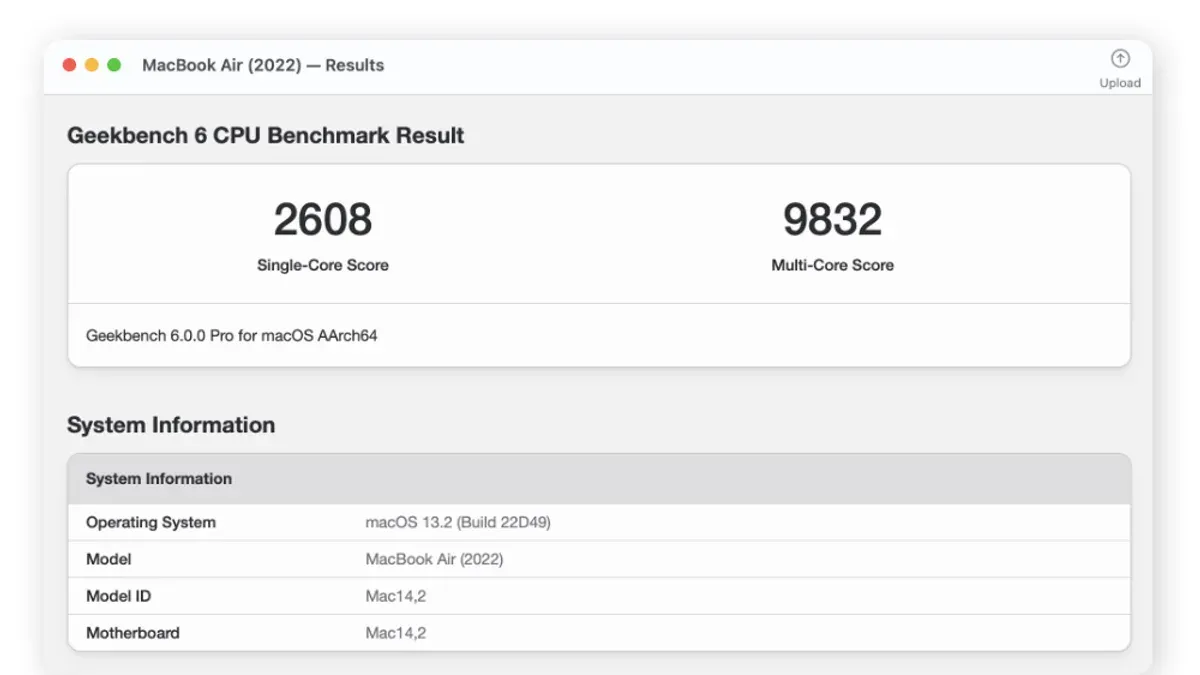
- Settings: Low and medium presets yield playable frame rates; high presets cause frame drops and stuttering.
- Frame Rates and Stability: At low settings, frame rates average around 30fps but may dip during intense scenes; medium settings often fall below 25fps, impacting responsiveness.
- Thermal Behavior: After approximately 20-30 minutes, thermal throttling reduces CPU and GPU speeds, lowering performance.
- Battery Life Impact: Gaming sessions typically last 2-3 hours on battery, depending on brightness and background activity.
Optimizing Assassin's Creed Shadows for MacBook Air M3
Maximizing playability involves balancing graphics settings and system management.
- Graphics Settings: Set resolution to 1080p or lower if available; choose low to medium presets. Disable ray tracing and shadows to reduce GPU load.
- System Management: Close background applications and disable unnecessary macOS animations to free resources. Use "Low Power Mode" cautiously, as it may reduce performance.
- External Accessories: Using a laptop cooling pad can help maintain lower temperatures during longer sessions despite the fanless design.
- Cloud Gaming Options: Services like GeForce Now or Xbox Cloud Gaming can provide higher graphical fidelity and smoother frame rates by streaming the game remotely.
Step-by-Step Optimization Checklist:
- Launch Assassin's Creed Shadows and open graphics settings.
- Set resolution to 1080p or 720p if available.
- Choose low or medium preset; disable ray tracing and shadows.
- Quit all non-essential applications via Activity Monitor.
- Connect the MacBook Air M3 to power to avoid battery-saving throttling.
- Consider using a laptop cooling pad during gameplay.
- Monitor temperatures with Activity Monitor or third-party apps.
- If performance remains unsatisfactory, try cloud gaming alternatives.
When the MacBook Air M3 Might Not Be the Best Choice for Assassin's Creed Shadows
The MacBook Air M3 suits casual gaming but has limitations for demanding scenarios.
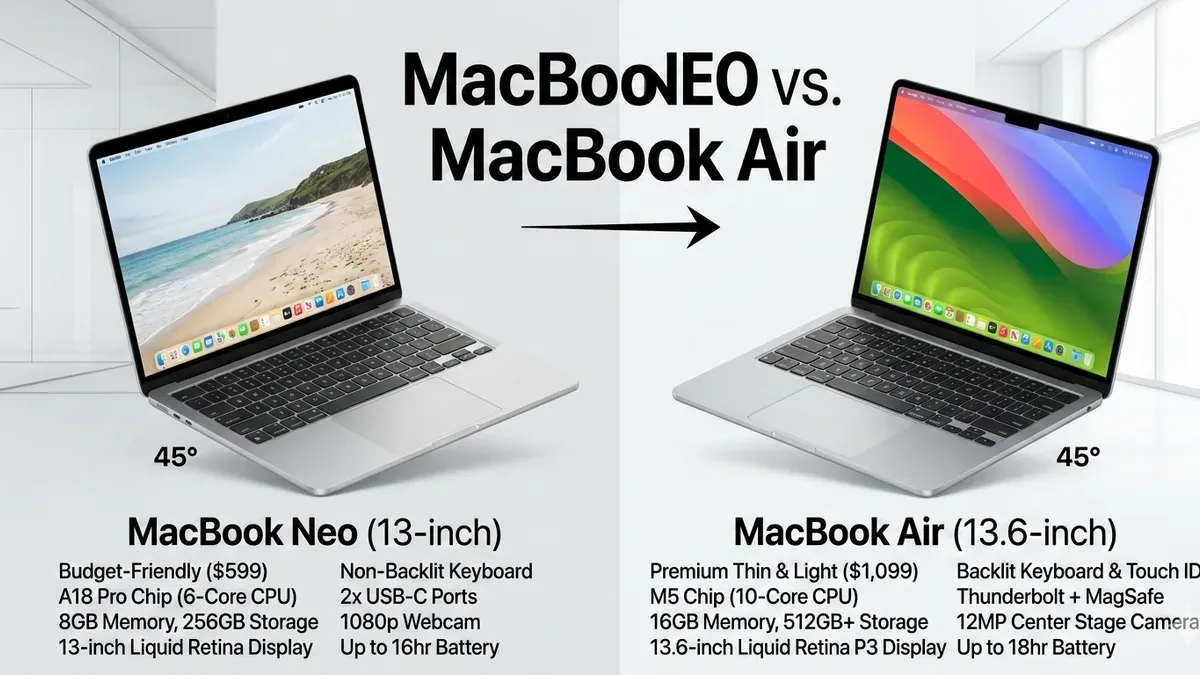
- High Frame Rates and Maxed Graphics: Achieving 60fps on high or ultra settings is unlikely due to integrated GPU and thermal constraints.
- Long Sessions Without Throttling: Extended gameplay triggers thermal throttling, reducing smoothness; devices with active cooling perform better.
- Dedicated GPU Advantage: Systems with discrete GPUs offer superior performance and stability.
- Alternative Devices: Consider MacBook Pro models with better cooling and more GPU cores, Windows gaming laptops, or consoles for a premium experience.
Caveats
This article focuses on the MacBook Air M3 with Apple Silicon and native or officially supported game versions. Performance varies by configuration and macOS version. Unsupported methods or emulation may yield different results.
Frequently Asked Questions
Can the MacBook Air M3 handle high graphics settings in Assassin's Creed Shadows?
High settings cause inconsistent frame rates and stuttering due to the integrated GPU and thermal limits. Low to medium settings offer a smoother experience.
Does playing Assassin's Creed Shadows on MacBook Air M3 cause overheating or throttling?
The fanless design leads to heat buildup and thermal throttling during extended gaming, which reduces performance to manage temperatures.
Is it better to use cloud gaming services for Assassin's Creed Shadows on MacBook Air M3?
Cloud gaming offloads processing to remote servers, delivering better graphics and smoother frame rates, making it a practical alternative.
What settings should I adjust first to improve Assassin's Creed Shadows performance on MacBook Air M3?
Lower resolution and disable ray tracing and other demanding visual features first. Then reduce texture quality and shadows before adjusting other settings.