What to Do If Your Best Buy Account Is Hacked: A 2026 Guide
Discover immediate steps to recover and secure your Best Buy account hacked, plus tips to prevent future breaches in 2026.
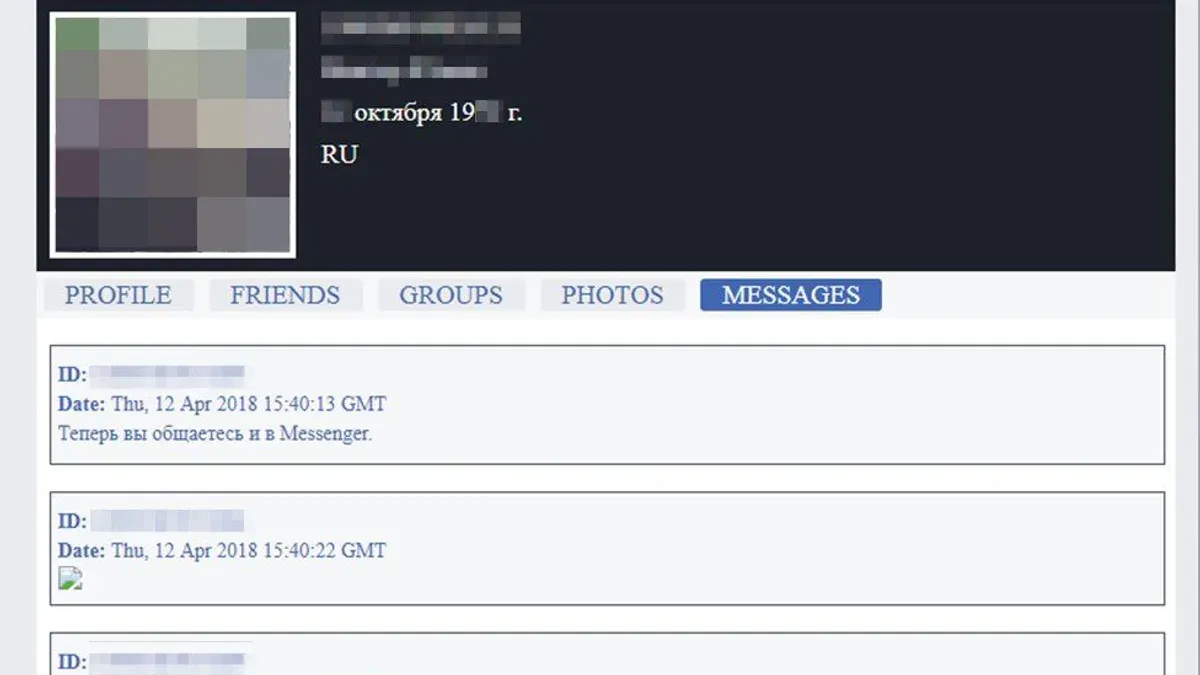
You try to sign in to your Best Buy account only to find unfamiliar orders or personal details changed. Realizing your Best Buy account hacked is a possibility can be alarming, but quick action is essential to regain control and secure your information.
This article guides you through the immediate steps to recover a hacked Best Buy account, explains how to troubleshoot login issues, and clarifies common concerns about account security and legitimacy. You will also learn Best Buy-specific security tips and how to prevent future breaches in 2026.
Key takeaways
- Immediately change your password and enable two-step verification in your Best Buy account settings.
- If you cannot log in, use the "Forgot Password" option or contact Best Buy customer support directly.
- Best Buy is a legitimate retailer; suspicious activity often results from compromised credentials elsewhere.
- Create your Best Buy account using a strong, unique password and updated recovery options.
- Regularly review your account activity and update security settings to protect personal and payment information.
What to do if an account has been hacked
First, confirm any unauthorized activity on your Best Buy account by reviewing recent orders and account changes under Account Settings > Order History. This suits anyone suspecting compromise; its strength is immediate awareness of fraud. However, you might miss subtle unauthorized changes if you don’t check carefully.
Next, change your Best Buy password immediately by going to Sign-In & Security > Password and selecting Change Password. This step suits all users and is crucial to block further access. Its strength is quick implementation, often effective within minutes, but if your email is compromised too, this may be insufficient alone.
Enable two-factor authentication (2FA) if available via Sign-In & Security > Two-Step Verification. This suits users wanting stronger protection. Its strength is adding a second verification layer, reducing hacking risk. The drawback is occasional delays or inconvenience when logging in.
Contact Best Buy customer support immediately at 1-888-BEST-BUY (1-888-237-8289) or via online chat for account lockout or suspicious activity. This suits those unable to regain control. Best Buy’s response time typically ranges from minutes to a few hours. The strength is personalized help; the drawback is potential wait times during peak periods.
Monitor linked financial accounts and credit reports for fraud. This step suits those with payment methods saved in Best Buy. Its strength is catching broader identity theft early. A drawback is that monitoring can be time-consuming and sometimes requires paid services.
Finally, scan your devices for malware or keyloggers using reputable antivirus software. This suits users concerned about persistent threats. Its strength is removing hidden risks that allow repeated hacks. The drawback is that some malware can evade detection, requiring professional help.
Can’t log in to Best Buy account: troubleshooting login issues
When you can’t access your Best Buy account, several common issues might be the cause. Knowing how to reset your password or unlock your account can save time and frustration.
Resetting a forgotten password
What it is: A process to regain access by setting a new password through Best Buy’s password reset page.
Who it suits: Users who remember their email or username but forgot their password.
Strength: The reset link is usually sent within minutes, allowing quick recovery.
Drawback: If you no longer have access to your registered email, resetting can be difficult.
To reset, go to the Best Buy sign-in page, click "Forgot Password?", enter your email or phone number, and follow the instructions in the received email or SMS. The interface typically features a clear step-by-step guide and a progress bar, helping you track each step.
Unlocking a locked account
What it is: Regaining access after multiple failed login attempts or security flags trigger a temporary lock.
Who it suits: Users locked out due to suspected unauthorized access or repeated incorrect password entries.
Strength: Best Buy’s system usually locks accounts only temporarily (e.g., 15 minutes), minimizing downtime.
Drawback: If the lock persists, contacting Best Buy customer support for identity verification is necessary, which can take time.
To verify identity, you may need to provide personal details like billing address or order history. This process helps protect your account but requires patience.
Common causes of login failures
- Browser issues: Outdated browsers or enabled extensions can block login pages. Updating your browser or trying another one often resolves this.
- Account suspension: Best Buy may suspend accounts due to suspicious activity or policy violations. This requires contacting support for resolution.
- Incorrect credentials: Mistyping your password or username is common; double-check caps lock and spelling.
Best Buy user forums indicate that browser compatibility and forgotten passwords are among the most frequent login problems.
Tips for creating a secure password
Choose a password with at least 12 characters, combining upper and lowercase letters, numbers, and symbols. Avoid easily guessable information like birthdays or simple sequences.
A strong password reduces the risk of lockouts caused by unauthorized attempts. However, complex passwords may be harder to remember, so using a reputable password manager is recommended.
Is Best Buy a scam? Understanding account security and legitimacy
Best Buy is a well-established, legitimate retailer known for electronics and appliances, trusted by millions of customers. It suits those seeking a reputable vendor with physical stores and an extensive online presence. A concrete strength is its robust security protocols, including encryption, multi-factor authentication options, and compliance with industry standards. A drawback is that high-profile retailers like Best Buy are often targets for phishing scams, which can exploit customers’ trust.
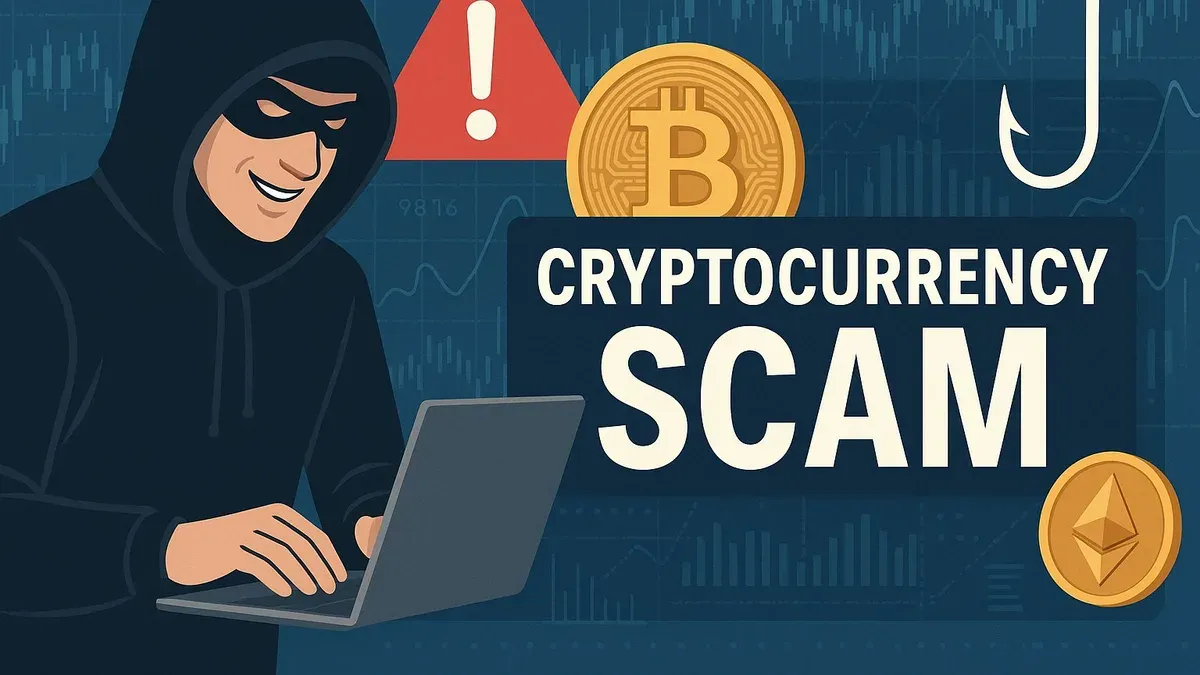
Phishing scams impersonating Best Buy typically involve fake emails or websites designed to steal login credentials or payment information. These scams mostly affect less tech-savvy users who may not verify web addresses or email senders carefully. One strength of these scams for perpetrators is their ability to mimic official branding convincingly. However, their drawback is that awareness campaigns and browser security warnings increasingly help users avoid these traps.
To verify authentic Best Buy communications and websites, you should check for the official domain bestbuy.com, look for HTTPS security certificates, and avoid clicking links in unsolicited emails. Best Buy’s official security statements recommend contacting customer service via the verified website or phone number if you suspect fraud. This approach suits cautious customers who prioritize verifying sources before sharing sensitive information. Its limitation is that some phishing attempts use similar domains, requiring close attention.
In 2026, Best Buy continues to enhance account and data protection with measures such as continuous monitoring, fraud detection tools, and compliance with data privacy regulations. This benefits customers who want strong safeguards on their personal and payment data. A trade-off is that some security measures may add friction during login or purchases, which can inconvenience users seeking quick transactions.
How do I access my Best Buy account if hacked or locked?
If your Best Buy account is hacked or locked, there are several ways to regain access. Each method has unique advantages and limitations depending on your situation.
Best Buy’s online account recovery tools
Best Buy offers an online recovery system accessible via the "Forgot Password" or "Account Recovery" links on the login page. This suits users who still have access to their registered email or phone number. The main strength is its convenience—you can reset your password or verify your identity directly online. However, if your contact details have been changed by the hacker, this method may fail or delay recovery.
Contacting Best Buy customer support
If online recovery is insufficient, you can contact Best Buy support via phone or chat. Phone support typically provides faster response times and direct interaction, ideal for complex cases requiring identity verification with details such as your order history or billing address. The drawback is limited availability and possible wait times depending on call volume. Chat support is available longer hours and allows you to document your conversation, but response speed can vary.
Using the Best Buy mobile app or verified email
Accessing your account through the Best Buy mobile app or using a verified email link may help if web login fails. The app sometimes retains session data allowing quicker authentication after a lockout. This method suits users who regularly use the app and have it installed on a secure device. The downside is that it requires prior setup and app access, which might not be possible if your device is compromised or lost.
Before and after regaining access, ensure you update your password and enable two-factor authentication. Also, review recent account activity for unauthorized changes and scan your devices for malware to prevent repeated breaches.
How to make a Best Buy account safely in 2026
Creating a Best Buy account securely involves a clear sequence of steps paired with mindful security practices to prevent future breaches. Begin by visiting BestBuy.com and clicking "Create Account" at the top right. Provide accurate personal information, including a valid email address for communication and recovery. Choose a strong, unique password — use at least 12 characters mixing uppercase, lowercase, numbers, and symbols. Avoid common phrases or repeated patterns, as weak passwords are a frequent cause of unauthorized access.
Enable two-factor authentication (2FA) immediately after account creation by navigating to "Account Settings" > "Security" > "Two-Step Verification." 2FA suits anyone wanting extra protection beyond passwords. Its strength lies in requiring a verification code from your phone or email, but it requires you to have access to that device or email consistently.
Link payment methods securely by adding credit cards or PayPal accounts through "Account Settings" > "Payment Methods." Ensure you use a secure network and avoid public Wi-Fi when entering financial details. This method is ideal for frequent shoppers who desire faster checkout. However, storing payment info increases risk if the account is compromised, so regular monitoring is essential.
Common problems during sign-up include entering an email already associated with another Best Buy account or password complexity errors. To fix these, use the "Forgot Password" feature to regain access or adjust passwords to meet the minimum 12-character rule with varied character types as indicated during sign-up.
Security studies emphasize that longer, unique passwords combined with 2FA drastically reduce the risk of account hacking. Regularly updating your password every few months also helps safeguard your account. Taking these steps ensures your Best Buy account starts with a strong defense against unauthorized access.
Best Buy account security: protecting your data and purchases
Maintaining the security of your Best Buy account requires consistent attention beyond initial recovery. Here are key practices to help you protect your data and purchases effectively.
Password management and two-factor authentication (2FA)
What it is: Use a strong, unique password for your Best Buy account, combining letters, numbers, and symbols. Enable two-factor authentication via the Best Buy app or website under Account Settings > Security for an added layer of protection.
Who it suits: Everyone with an online account, especially those with payment methods saved in their Best Buy profile.
Strength: Even if a password is compromised, 2FA requires a second verification step, significantly reducing unauthorized access.
Drawback: It adds a step to login, which some users find inconvenient or may disable, weakening security.
Recognizing suspicious emails and fraud attempts
What it is: Phishing emails often mimic Best Buy and include urgent language, misspellings, or suspicious sender addresses (e.g., @bestbuy-support.com instead of @bestbuy.com). Always verify links by hovering over them before clicking.
Who it suits: Anyone receiving emails about account changes, payment issues, or promotional offers.
Strength: Being able to identify phishing reduces the risk of revealing credentials or installing malware.
Drawback: Sophisticated phishing attempts can be hard to spot, requiring ongoing vigilance.
Monitoring account activity regularly
What it is: Check your Best Buy account's recent orders and login history via Account Settings > Order History and Security Settings. Look for unfamiliar purchases or access from unusual locations.
Who it suits: Users who want to catch unauthorized activity early before financial or data damage occurs.
Strength: Early detection of suspicious behavior enables quicker response and support intervention.
Drawback: Requires time and attention, which some users may neglect or forget.
Using secure devices and networks
What it is: Access Best Buy accounts only on trusted devices and secure Wi-Fi networks. Avoid public Wi-Fi without a VPN, as it may expose your credentials to attackers.
Who it suits: Anyone using mobile phones, tablets, or computers to shop or manage accounts online.
Strength: Reduces risks of interception and unauthorized access during login or transactions.
Drawback: Limits convenience for users who rely on public or shared devices and networks.
Statistically, many account breaches stem from reused passwords and falling for phishing scams. Combining strong passwords, 2FA, vigilant email scrutiny, regular monitoring, and secure device use forms a robust defense against hacking.
Why my account is hacked: common causes and prevention
Understanding why your Best Buy account might be hacked helps you take targeted steps to protect it. Several common vulnerabilities are often exploited by attackers.
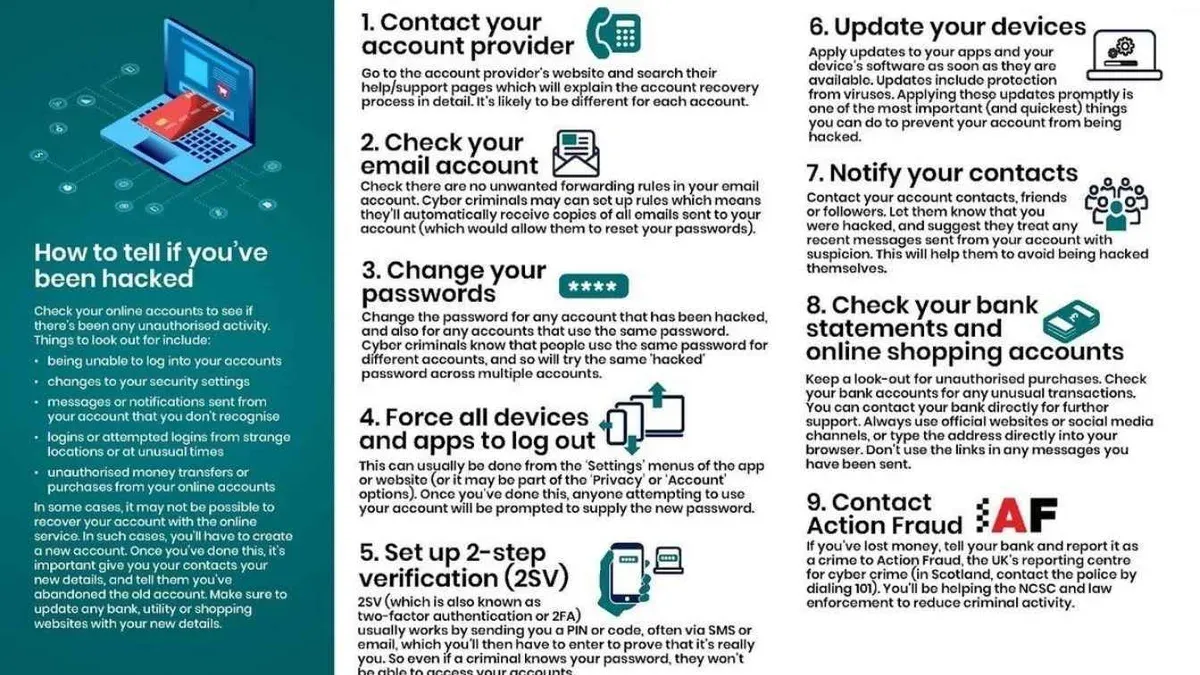
Phishing attacks
Phishing involves deceptive emails or messages that trick you into revealing your login details. This method suits attackers targeting less tech-savvy users. Its strength is the ability to bypass technical security by exploiting human error. The drawback is that increased awareness and email filters can reduce its success.
Credential stuffing
Credential stuffing uses leaked username-password pairs from data breaches to attempt logins on Best Buy accounts. It often targets users who reuse passwords across sites. Its strength is automation, allowing attackers to try millions of combinations quickly. The drawback is that unique passwords limit its success.
In 2026, retail breaches exposing millions of credentials continue, making credential reuse a significant risk.
Data breaches
Data breaches at companies holding your information can expose your Best Buy login if credentials overlap. This threat suits attackers exploiting large-scale leaks. A strength is access to many accounts at once. A drawback is that companies are improving breach detection and notification.
Reusing passwords and weak choices
Using the same password on multiple sites or choosing weak passwords makes your account vulnerable. This suits users seeking convenience over security. The strength is ease of memorization, but the drawback is high risk if one site is compromised, as attackers try the same password elsewhere.
Device malware and unsecured Wi-Fi
Malware on your device or using unsecured Wi-Fi can capture your login details. This threat suits attackers targeting individual users through network vulnerabilities. Its strength is direct access to sensitive data. The drawback is that regular device scans and avoiding public Wi-Fi reduce risk.
Steps to reduce vulnerability and signs of compromise
- Use unique, strong passwords managed by a reputable password manager.
- Enable two-factor authentication on your Best Buy account.
- Be skeptical of unsolicited emails requesting login details; verify sender addresses.
- Keep your devices updated and run regular malware scans.
- Avoid logging in over public or unsecured Wi-Fi networks.
- Watch for signs of compromise like unexpected password reset emails or unfamiliar order activity.
Frequently asked questions
Can't log in to best buy account?
If you can't log in, first verify your email and password are correct. Use the "Forgot Password" link on the login page to reset your password via your registered email. Clear your browser cache or try a different device if issues persist, and ensure your account isn’t locked due to multiple failed attempts.
What to do if amazon account hacked?
For an Amazon account hack, immediately change your Amazon password and review recent orders. Enable two-step verification under "Login & security" settings. Contact Amazon support if unauthorized purchases occurred and check your payment methods for any changes.
How to get back a hacked account?
To recover a hacked account, start by resetting your password using the account provider’s recovery process. Confirm your identity if required and check your account details for unauthorized changes. Update security settings like two-factor authentication to prevent further access.
How to get account back if hacked?
Regain access by using the "Forgot Password" option and following prompts to reset credentials. If locked out, contact customer support with identification details. Once restored, review account activity and update recovery information immediately.
What to do if account is hacked?
If your account is hacked, change your password on the affected service immediately. Scan your devices for malware and notify customer support about the breach. Review connected accounts and financial information, then set up stronger security measures like multi-factor authentication.
What this advice does not cover
This guide focuses on regaining access to your Best Buy account and improving its security. It does not cover legal or financial recovery beyond account access, such as disputing fraudulent charges or dealing with identity theft remediation. For those issues, you should contact your bank, credit card issuer, or a legal professional who specializes in fraud and identity theft.
The most useful next step is to immediately change your Best Buy account password using a strong, unique combination of letters, numbers, and symbols. Then enable two-factor authentication (2FA) via your account settings under "Security Preferences" to add an extra layer of protection. This simple action significantly reduces the risk of further unauthorized access and secures your purchases and personal information.