How to Understand and Manage MacBook Pro M1 Pro Hinge Issues
Discover how to recognize and manage MacBook Pro M1 Pro hinge issues to maintain smooth operation and prevent damage.
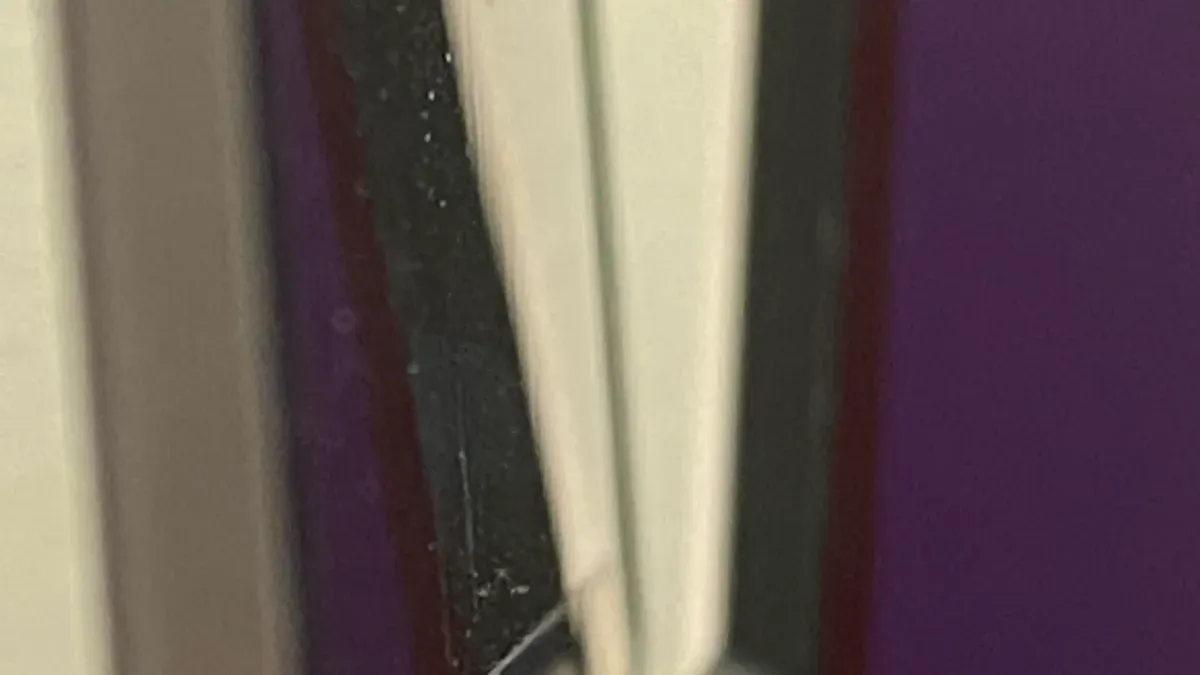
You open your MacBook Pro M1 Pro and notice the hinge feels unusually stiff or loose. Maybe the screen doesn’t stay at the angle you set it, or you hear a faint creaking sound when you adjust it. These are common signs of MacBook Pro M1 Pro hinge issues that can affect your device's usability and longevity.
This article helps you understand what causes these hinge problems and how the hinge mechanism works. You will also learn practical daily habits to protect your MacBook Pro hinge, simple troubleshooting steps you can try yourself, and when it’s time to seek professional repair. By following this guide, you can prevent damage and keep your MacBook Pro operating smoothly.
Key takeaways
- Hinge stiffness, looseness, or noises signal possible hinge wear or damage.
- Understanding the hinge's mechanical design helps you avoid stress during use.
- Regular gentle handling and avoiding sudden angle changes protect the hinge.
- Minor issues can often be managed with careful adjustment, but persistent problems need professional attention.
- Avoid common habits like forcing the lid open with one hand to reduce hinge strain.
Recognize What MacBook Pro M1 Pro Hinge Issues Look Like
Identifying hinge problems early can save you from more serious damage later. Typical symptoms include stiffness when opening or closing the lid, a creaking or grinding noise, noticeable looseness where the screen wobbles, small gaps appearing between the screen and base, or uneven resistance across the hinge. For example, a new MacBook Pro M1 Pro hinge should open smoothly with consistent tension and no audible noise, while an early-stage issue might feel slightly sticky or produce a faint creak when moved.
These symptoms can affect daily use by making it harder to adjust the screen angle comfortably, potentially causing strain on other components. Over time, if left unchecked, they may reduce the laptop's lifespan by increasing wear around the hinge area. To monitor changes, perform a gentle physical check by opening the laptop to about 90 degrees and observing if the screen wobbles more than a few degrees side to side—typically, a healthy hinge will have very minimal movement under gentle pressure.
Picture holding your MacBook Pro open on a flat surface: when you lightly tap the top corners of the screen, a healthy hinge will barely shift, while a problematic one might sway noticeably, indicating loosening. Tracking this over weeks helps you catch early signs before stiffness or damage worsens.
Understand Why Hinge Problems Matter for Your MacBook Pro
Hinge issues on your MacBook Pro M1 Pro can affect more than just how smoothly your screen opens and closes. When the hinge becomes damaged or misaligned, it can cause the display to sit unevenly, which not only looks off but also puts strain on internal cables connecting the screen to the motherboard. This strain increases the risk of cable fraying or disconnection, potentially leading to display flickering or loss of image.
There are also safety concerns. A compromised hinge can create pinch points where your fingers might get caught, or, in severe cases, lead to the screen cracking if the tension becomes uneven. Such damage can be costly and inconvenient, especially if it happens suddenly.
Repair costs for hinge-related damage often exceed the expenses of preventive care. For example, a hinge repair or screen replacement can run into hundreds of dollars and require professional service, while regular gentle handling and cleaning help maintain hinge integrity and avoid these expenses. Protecting your hinge preserves your MacBook’s resale value by keeping the device in good physical condition, making it easier to sell or trade in later.
Learn How the MacBook Pro M1 Pro Hinge Mechanism Works
The MacBook Pro M1 Pro hinge consists of several key parts designed to balance durability with smooth screen movement. At its core, the hinge assembly includes metal pivot arms, tension springs, and precision-machined bearings. These components work together to allow controlled opening and closing while supporting the display’s weight. Apple’s design aims to keep the hinge compact and reliable, with high-quality materials to withstand frequent use.
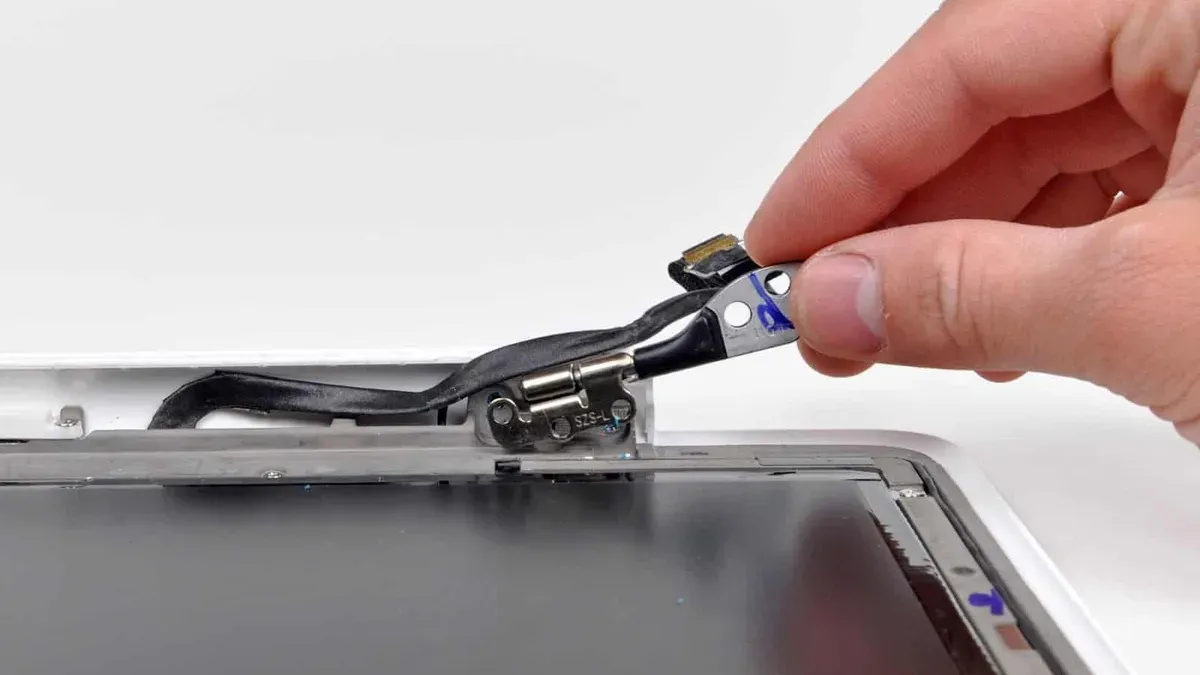
Hinge tension plays a crucial role in smooth operation. It provides the necessary resistance to hold the screen firmly at various angles without wobbling. Lubrication inside the hinge reduces friction between metal parts, preventing stiffness or creaking noises. Over time, daily actions like opening the lid quickly, applying uneven pressure, or frequently adjusting the screen angle can increase wear and strain on these components.
Imagine you open your MacBook Pro after a day of use: the hinge tension lets the screen stay steady at 90 degrees without slumping or shaking. If the tension weakens or lubrication dries out, you might feel stiffness or notice the screen fails to hold position firmly. Understanding this mechanism helps you appreciate why gentle, consistent handling benefits hinge longevity.
Adopt Daily Habits to Protect Your MacBook Pro Hinge
Handling your MacBook Pro M1 Pro with care helps extend the life of its hinge. Always open and close the laptop using both hands, placing one hand on each side of the screen. This distributes pressure evenly across the hinge and prevents uneven stress that can cause premature wear or looseness.
Avoid lifting the screen by one corner or pushing on the screen’s surface to open it. For example, if you usually open your laptop with one hand by the top edge, switch to holding both sides near the hinge and moving the screen gently. This simple change reduces the risk of bending or damaging the hinge mechanism.
Keeping the hinge area clean is another crucial habit. Dust, crumbs, or debris can accumulate in the hinge gap and interfere with smooth movement. Use a soft, dry microfiber cloth to wipe the hinge area regularly, and if needed, a gentle burst of compressed air can help dislodge particles without applying force.
Users who consistently adopt these habits typically experience less stiffness and fewer hinge problems over time compared to those who open their laptops roughly or neglect hinge cleanliness. Making these small adjustments in your daily routine can protect your investment and keep your MacBook Pro working smoothly.
Troubleshoot Minor Hinge Issues You Can Address Yourself
If your MacBook Pro M1 Pro hinge feels stiff or creaky, dirt buildup or dried lubrication often causes this. Start by inspecting the hinge area closely using a bright light and a magnifying glass if available. Look for dust, lint, or debris that may obstruct smooth movement. Avoid forcing the hinge during this check to prevent further damage.
For cleaning, use a soft, lint-free cloth slightly dampened with isopropyl alcohol (70% or less) to gently wipe around the hinge. Compressed air on a low setting can help blow out particles without inserting anything directly into the hinge mechanism. Never use water, oil-based lubricants, or household cleaning sprays as they can harm internal components or attract more dirt.
If stiffness remains after cleaning, a small amount of a silicone-based lubricant designed for electronics can be carefully applied. Use a precision applicator or a cotton swab to avoid excess. After application, slowly open and close the lid several times to distribute the lubricant evenly. For example, gently cleaning away dust followed by careful silicone lubrication often restores smooth hinge action without professional help.
Know When to Seek Professional Repair for Hinge Problems
You should seek professional repair if you notice signs of internal damage such as persistent looseness that causes the screen to flop open or close unexpectedly, visible cracks near the hinge, grinding noises beyond simple creaking, or if the screen no longer stays at your desired angle. These symptoms often indicate worn or broken hinge components that require replacement rather than minor maintenance.

Attempting DIY repairs beyond cleaning and lubrication risks worsening the damage, voiding warranties, or causing electrical issues inside your MacBook Pro. For example, disassembling the hinge without proper tools and expertise can lead to misalignment or broken connectors, resulting in more expensive repairs.
To ensure quality service, find authorized Apple repair centers or Apple service providers by visiting Apple’s official support website and entering your location. Professional repairs typically take a few days and may cost significantly more than DIY fixes, but they restore full functionality and preserve your device’s value.
Imagine you notice your MacBook Pro’s screen suddenly feels loose and shifts when typing. Rather than forcing it back into position yourself, scheduling a professional repair helps prevent further damage and saves you from potentially higher costs down the line.
Avoid Common Mistakes That Worsen MacBook Pro Hinge Issues
One frequent mistake is opening your MacBook Pro M1 Pro by grabbing a corner of the screen, which puts uneven pressure on the hinge. Imagine lifting a heavy lid by one corner only; this strains the hinge mechanism and can lead to early loosening or damage. Using excessive force when opening or closing the laptop similarly accelerates wear and may cause permanent misalignment.
Another common error is applying inappropriate lubricants like oil-based or household greases, or inserting objects such as toothpicks or paper clips into the hinge to fix stiffness. These actions can trap dirt, corrode metal parts, or damage delicate components inside. Manufacturer guidelines specifically warn against using non-approved substances or tools, and such attempts often void warranty coverage.
Finally, ignoring early signs of hinge problems or trying complex repairs without expert guidance risks turning manageable issues into costly repairs. For example, disassembling the hinge without proper tools can break internal springs, leading to full hinge failure. Recognizing these pitfalls and following recommended care prevents worsening hinge issues and protects your MacBook Pro investment.
Frequently asked questions
Can hinge issues cause my MacBook Pro screen to crack?
Yes, hinge problems such as stiffness or looseness can put uneven pressure on the screen when opening or closing your MacBook Pro. This added stress increases the risk of cracks or damage to the display glass, especially if the hinge suddenly snaps or feels unstable. Addressing hinge issues early helps reduce this risk.
Is it safe to use lubricants on my MacBook Pro hinge?
Applying lubricants to your MacBook Pro hinge is generally not recommended unless specified by Apple or a professional technician. Most lubricants can attract dust and debris or cause internal components to degrade. If lubrication seems necessary, seek guidance from an authorized service provider to avoid accidental damage.
How long does a typical MacBook Pro hinge last under normal use?
Under typical daily use, MacBook Pro hinges are designed to last for several years without problems. Factors such as how gently you open and close the lid and avoiding excessive force play a significant role in hinge longevity. Regular care and mindful handling often prevent premature wear or loosening.
Will Apple cover hinge repairs under warranty or AppleCare?
Apple warranty and AppleCare+ coverage for hinge repairs depend on the cause of the issue. Manufacturing defects are usually covered, but damage from accidental drops or improper use is not. It's best to check the specific terms of your warranty or AppleCare plan and contact Apple Support for an accurate assessment.
Understand the Limits of This Advice
This advice focuses on preventive care and minor troubleshooting for MacBook Pro M1 Pro hinge issues. If your hinge shows signs of severe damage, such as cracking sounds, visible deformation, or if your screen does not stay in place at all, these problems likely go beyond simple maintenance. Additionally, internal hardware issues related to the hinge or display assembly require professional diagnosis and repair. Avoid attempting complex repairs yourself, as this can lead to further damage and may void your warranty.
The single most effective next step is to incorporate gentle and consistent daily habits that protect your hinge, such as opening and closing your MacBook Pro with two hands, avoiding excessive force, and keeping the hinge area clean and free of debris. These small actions can significantly extend the lifespan of your hinge and help you avoid costly repairs down the line.
See also: Fixing a Loose Charging Port on Your MacBook Pro M1 Pro: A Step-by-Step Guide · How to Understand and Manage MacBook Pro M1 Pro Battery Swelling Safely · How to Identify and Fix MacBook Pro M1 Pro Screen Lines Effectively · How to Solve MacBook Pro M1 Pro Sleep Wake Issues Step by Step