Master Your Moodle Implementation Timeline: A Step-by-Step Guide
Learn how to create a Moodle implementation timeline that ensures smooth planning, setup, testing, launch, and optimization for your institution.
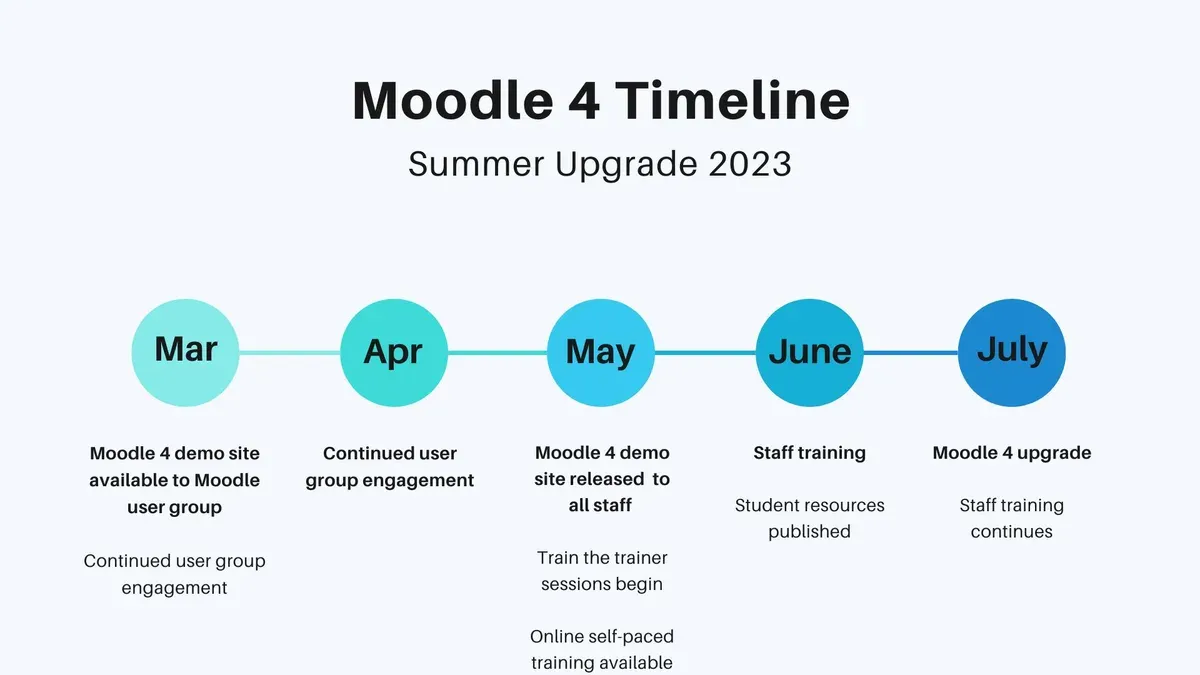
Short answer: A Moodle implementation timeline breaks down your project into clear phases: planning, setup, testing, launch, and optimization. It helps you allocate resources, set realistic deadlines, and avoid common pitfalls that delay deployment.
This guide walks you through crafting a Moodle implementation timeline tailored to your institution’s needs, combining the platform's historical evolution with practical project management. You will learn how to structure each phase, the critical tasks involved, and how to anticipate challenges such as scope creep or technical misconfigurations. Whether you’re leading a small team or a large-scale rollout, this step-by-step approach ensures you stay on track and maximize Moodle’s benefits effectively.
Understand what Moodle is and why it matters for your institution
Moodle was created in 2002 by Martin Dougiamas, who designed it with a strong open-source philosophy to ensure flexibility and community-driven development. This foundation allows Moodle to evolve continuously, supported by thousands of contributors worldwide, making it one of the most widely used learning management systems globally.
Moodle’s adaptability supports a variety of learning environments, from small training organizations to large universities and multinational corporations. Its modular design helps you tailor course structures, assessments, and collaborative tools precisely to your institution’s educational goals and learner needs.
Aligning your Moodle implementation timeline with your institution’s objectives and stakeholder expectations is critical. For example, a university aiming to increase active student engagement might prioritize interactive activities and mobile accessibility early in the rollout. Meanwhile, a corporate training team may focus on compliance tracking and reporting features.
Consider a mid-sized college implementing Moodle to replace multiple disconnected tools. They scheduled a phased rollout starting with core course content migration, followed by integrating forums and quizzes, then enabling analytics dashboards for faculty. This structured approach ensured stakeholder buy-in and minimized disruption.
Create your Moodle implementation timeline: key phases and milestones
Start by conducting a thorough needs assessment involving key stakeholders such as faculty, IT staff, and administration to align Moodle’s capabilities with institutional goals. This phase typically takes 2-3 weeks and sets the foundation for your timeline.
Next, focus on the technical setup: configure your server or select a reliable hosting provider, ensure security protocols like SSL certificates and user authentication methods are in place, and install the latest stable Moodle version. For a small institution, this can take 2-4 weeks; larger organizations may require up to 6 weeks due to more complex infrastructure.
Course design and content migration follow, involving instructional designers and content owners. This often requires 4-8 weeks depending on course volume and complexity. Avoid the common pitfall of underestimating content cleanup and formatting needs during migration.
Simultaneously, prepare user training materials and support resources. Develop targeted workshops and detailed user guides, allowing 2-3 weeks for preparation. Training readiness smooths adoption and reduces support requests post-launch.
Implement a pilot phase with a small user group to identify issues and gather feedback. This phased rollout, typically lasting 3-4 weeks, helps refine configurations and workflows before full deployment.
Finally, monitor system usage and user feedback continuously after launch. Plan for iterative improvements every 4-6 weeks based on real-world data and evolving needs.
For example, a medium-sized college might plan a 6-month timeline: 1 month for assessment and setup, 2 months for course migration, 1 month for training, 1 month for pilot testing, and ongoing evaluation. Larger universities could extend this to 9 months or more.
- Conduct needs assessment with stakeholders (2-3 weeks)
- Complete technical setup and security configuration (2-6 weeks)
- Migrate and design courses (4-8 weeks)
- Develop training and support materials (2-3 weeks)
- Run pilot testing and phased rollout (3-4 weeks)
- Monitor, gather feedback, and iterate improvements (ongoing)
Set up Moodle: step-by-step technical and administrative tasks
Begin by selecting your hosting environment. Choose between cloud hosting for easier scalability and maintenance or on-premise hosting for greater control and customization. For instance, a medium-sized institution might choose cloud hosting via a certified Moodle Partner to reduce IT overhead.
Next, install Moodle using the standard installation wizard accessible via your hosting control panel or command line. After installation, configure basics under Site administration > Server > HTTP to set your site address and Site administration > Location for timezone and language settings.
Create user roles by navigating to Site administration > Users > Permissions > Define roles. Define roles like 'Teacher', 'Student', and 'Course Creator', ensuring permissions align with your institutional policies. Pay attention to permission overrides to avoid accidental access issues.
Set up courses under Site administration > Courses > Manage courses and categories. Organize courses within categories that match your institution’s structure. Use enrollment methods like manual enrollment, self-enrollment with access keys, or external database sync, depending on your user management system.
Activate essential plugins such as the Course Completion report and Attendance modules via Site administration > Plugins > Manage plugins. These tools help track learner progress and engagement effectively.
Here is a practical setup checklist example to guide you:
- Choose hosting option: cloud or on-premise
- Install Moodle and configure site address, timezone, and language
- Create and customize user roles and permissions
- Create course categories, add courses, and configure enrollment methods
- Enable key plugins like Course Completion and Attendance
- Test user access and enrollment workflows before launch
Open Moodle to your users: best practices for launch and adoption
Communicate your Moodle launch clearly to all stakeholders through multiple channels. Use institution-wide emails with concise instructions, intranet banners, and staff meetings to announce the go-live date and access details. For example, a university sent targeted emails segmented by department, resulting in quicker initial login rates.
Prepare orientation materials tailored to diverse user groups. Create short video tutorials, quick start guides, and FAQs accessible from the Moodle dashboard under Site administration > Appearance > Default homepage. Establish support channels like a dedicated helpdesk email, live chat during the first weeks, and a discussion forum for peer support.
Monitor initial user activity via Site administration > Reports > Logs to identify low engagement or access issues early. Address common problems such as forgotten passwords or browser compatibility promptly with clear troubleshooting steps posted on the support page.
Encourage early feedback through surveys or feedback forms embedded in courses. Use this input for iterative improvements, such as adjusting navigation or adding training sessions. For instance, a college found that timely updates based on user feedback increased active participation within the first month.
- Announce launch across multiple internal platforms with clear instructions
- Provide accessible orientation materials linked on the homepage
- Set up responsive support channels for immediate troubleshooting
- Track user activity through Moodle logs to spot issues early
- Solicit and act on user feedback to improve adoption and experience
Avoid common mistakes that can derail your Moodle timeline
Underestimating training and support needs often leads to frustrated users and extended timelines. For example, skipping detailed training sessions on Moodle’s Gradebook setup or Forum moderation results in repeated support calls that stall progress. Allocating dedicated support staff and scheduling comprehensive training in advance prevents these delays.
Rushing technical setup without thorough testing is another frequent pitfall. Launching Moodle immediately after installation, without running pilot tests under realistic user loads or checking plugin compatibility in Site administration > Plugins > Manage plugins, risks encountering critical bugs mid-rollout. Projects that incorporated staged testing phases avoided such setbacks, maintaining their timeline and user confidence.
Ignoring stakeholder input, especially from instructors and IT staff, leads to overlooked requirements that require costly rework. Regular feedback loops through Moodle’s Feedback activity during pilot phases help capture user needs early, streamlining final adjustments and fostering buy-in.
Overcomplicating course design too early, such as building intricate conditional activities or extensive competency frameworks before basic course structures are stable, delays deployment. Starting with simple course formats and progressively enhancing complexity based on user feedback balances innovation with timeline control.
Failing to monitor course completion and engagement using Moodle’s Reports > Completion tracking results in missed opportunities to identify struggling users or ineffective content. Early monitoring helps adjust timelines for refresher training or content updates, improving overall satisfaction.
- Plan sufficient training and allocate support resources upfront
- Conduct pilot testing with real users before full launch
- Engage stakeholders regularly for feedback and validation
- Keep initial course designs simple, build complexity gradually
- Use completion tracking reports to monitor engagement and adapt
Read next
- Google Classroom Implementation Timeline: Your Step-by-Step Guide
- Brightspace Implementation Timeline: Your Expert Step-by-Step Guide
- Switching from Canvas to Moodle: Your Expert Transition Guide
- Switching from Google Classroom to Blackboard: Your Expert Guide
Frequently asked questions
How to create an implementation timeline?
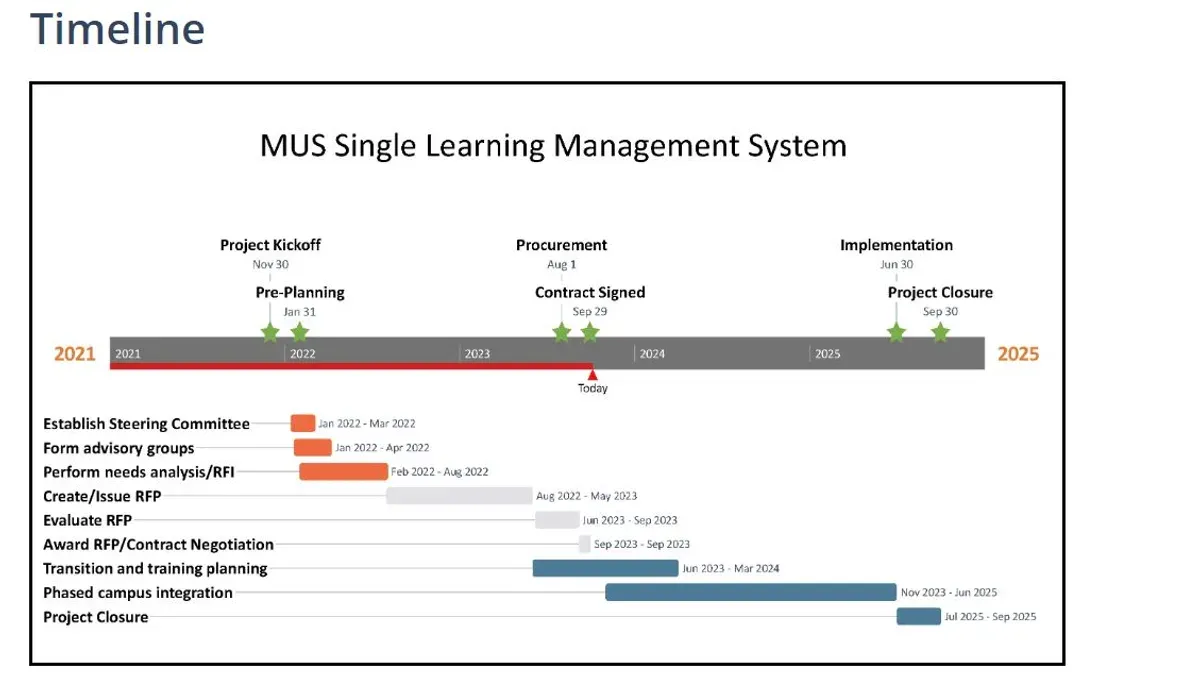
Start by breaking down the entire project into clear phases such as planning, setup, testing, training, and launch. Assign realistic deadlines to each phase based on resource availability and complexity. Use project management tools like Gantt charts or Trello boards to visualize progress and adjust timelines as needed.
When was moodle created?
Moodle was created in 2002 by Martin Dougiamas, initially as a response to the need for an open-source learning management system. Its design focused on flexibility and community-driven development, which has led to its widespread adoption globally.
How to set up moodle?
Begin by installing Moodle on a web server with PHP and a compatible database like MySQL or PostgreSQL. Configure the site through the admin panel by setting up authentication methods, course categories, and user roles. Don’t overlook setting permissions carefully to maintain security and usability.
How to open moodle?
To open Moodle to your users, finalize course content and perform thorough testing on functionality and accessibility. Schedule user onboarding sessions and communicate launch details clearly via email or your institution’s communication channels. Enable self-registration or manual enrollment based on your organization's needs.
When was Moodle created?
Moodle was first released in 2002, marking the beginning of a widely used open-source platform designed to support educators and learners. Its ongoing development is community-driven, continually expanding its features and adaptability.
Quick checklist
- Define clear roles for your Moodle project team, including administrators, IT staff, and content creators.
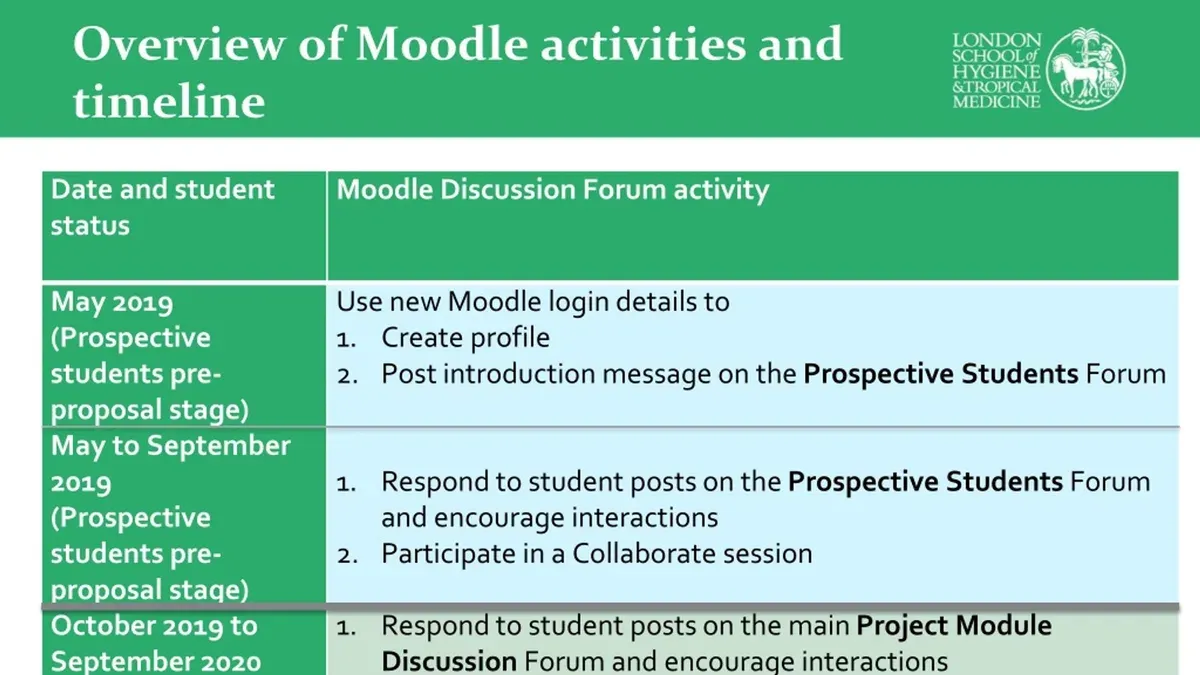
- Create a detailed project timeline with milestones such as server setup, initial content upload, and user training sessions.
- Configure Moodle settings under Site administration > Plugins and Site administration > Users before launching.
- Test user accounts and permissions thoroughly to avoid access issues at launch.
- Plan communication and training to encourage user adoption immediately after going live.
- Monitor system performance and user feedback to adjust your timeline and processes as needed.
What this advice does not cover
This guide does not cover advanced Moodle customization or integration with complex third-party systems, which require specialized expertise. If your institution needs custom plugin development, complex integrations with student information systems, or extensive theming beyond core options, consider engaging Moodle-certified developers or consulting partners.
Focus here is on realistic project management and foundational setup to get Moodle operational efficiently and effectively.
Begin by establishing your core project timeline and assigning clear responsibilities. This foundational step ensures smooth progress and helps you anticipate common pitfalls before they arise.