What Is a MAC Address Used For? A Clear Guide to Its Role in Networking
Discover what a MAC address is used for and how it helps identify devices and secure your network effectively.
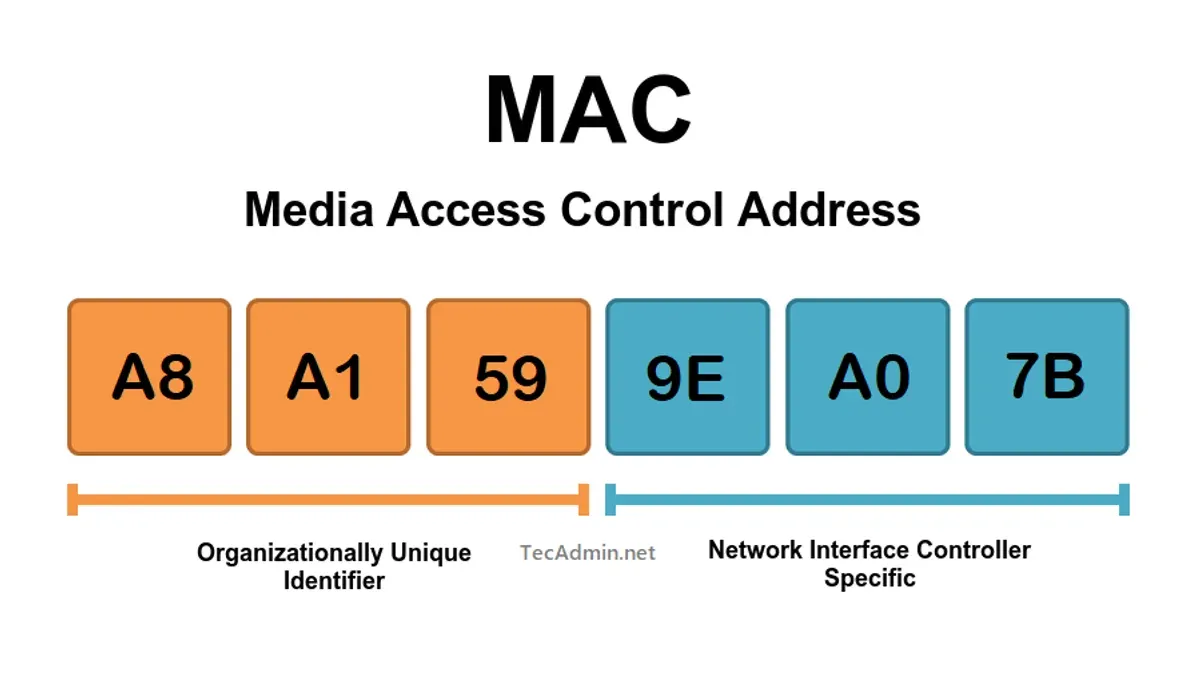
Imagine you’re setting up a new Wi-Fi router or trying to secure your home network. You might have come across the term MAC address and wondered what it actually does. Understanding what is a MAC address used for can help you manage your devices better and keep your network safer.
This article will guide you through the practical uses of MAC addresses in networking. You’ll learn why they matter, how they help in device identification, network security techniques like MAC filtering, and even how to find the MAC address on your own devices. Step by step, you’ll gain clarity on a topic that often feels technical but is essential for everyday network management.
Key takeaways
- A MAC address uniquely identifies each device on a local network.
- Network devices use MAC addresses to direct data to the right destination.
- MAC address tables help switches efficiently manage network traffic.
- MAC address filtering can restrict which devices access your network.
- You can find your device’s MAC address in system settings or device info menus.
What is a MAC address and what is it used for
A MAC address is a unique hardware identifier assigned to the network interface of a device. It consists of six groups of two hexadecimal digits, typically displayed like 00:1A:2B:3C:4D:5E. This address helps identify your device on a local network, such as your home Wi-Fi or Ethernet connection.
When devices communicate within a network, they use MAC addresses to ensure data is sent to the right place. For example, your laptop’s MAC address distinguishes it from other devices connected to the same Wi-Fi, enabling your router to direct traffic correctly. This makes the MAC address essential for managing device connections and maintaining smooth network communication.
Why MAC address is used in networking
The MAC address is essential in networking because it ensures that data packets reach the correct device within a local network. Unlike IP addresses, which can change and are used to route data between different networks, MAC addresses provide a fixed, hardware-level identifier that guides data directly to the intended device inside your home or office network.
When a device sends information on a Local Area Network (LAN), the data packet includes the MAC address of the destination device. Network switches use this address to forward the packet only to the right port, reducing unnecessary traffic and improving network efficiency. This process works at a lower level than IP addressing, which defines logical locations but cannot guarantee delivery within the physical network.
MAC addresses also play a key role in network security and access control. Network administrators can authenticate devices and restrict network access based on their MAC addresses. Since IP addresses can be dynamically assigned or changed, relying on MAC addresses provides a more reliable way to identify and manage devices on the local network.
What is a MAC address table used for
A MAC address table is used by network switches to efficiently manage and direct data traffic within a local network. This table keeps track of which MAC addresses are connected to each port on the switch. When a frame arrives, the switch looks up the destination MAC address in this table and forwards the frame only to the specific port associated with that address.
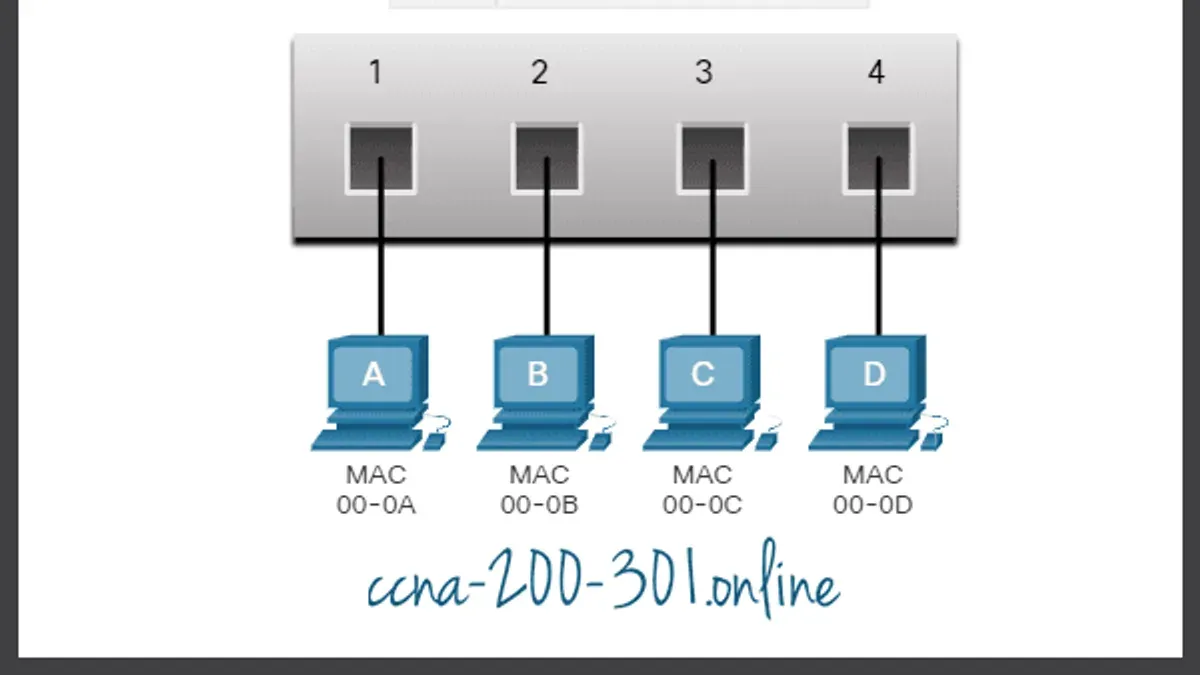
For example, if your computer’s MAC address is known to be on port 3, and the switch receives data destined for your computer, it sends the frame directly through port 3 instead of broadcasting it to all connected devices. This targeted forwarding reduces unnecessary network traffic and collisions, improving overall network performance.
Additionally, MAC address tables enhance security by limiting data exposure to only intended devices. This prevents devices from receiving frames not meant for them, which can reduce the chance of data interception and interference within the network.
What is MAC address filtering used for
MAC address filtering is used to control which devices can connect to a network by permitting or blocking access based on their unique MAC addresses. This method is often found in home Wi-Fi routers under settings like "MAC Filtering" or "Access Control," where you can add the MAC addresses of allowed devices to create a whitelist or block specific devices via a blacklist.
For example, enabling MAC filtering on your Wi-Fi router means that only devices with registered MAC addresses can join your network, adding a layer of control beyond just a password. This is useful to prevent casual or accidental connections from unknown devices. However, it is important to understand that MAC addresses can be spoofed, meaning attackers can mimic an allowed address to bypass this filter.
Because of this vulnerability, MAC address filtering should not be your only security measure. It works best when combined with strong WPA3 or WPA2 encryption and a secure password. Relying solely on MAC filtering can give a false sense of security, so use it as part of a broader approach to network protection.
What MAC address is used for multicast
A MAC address used for multicast enables communication between one sender and multiple receivers within a local network. Unlike unicast, which targets a single device, or broadcast, which sends data to all devices in a network segment, multicast sends data only to a specific group of devices that have expressed interest in receiving it.
Multicast MAC addresses fall within a special range reserved for this purpose, typically starting with the prefix 01:00:5E in IPv4 multicast. For example, the MAC address 01:00:5E:00:00:01 corresponds to a multicast group that devices can join to receive specific multicast streams. Devices use these addresses to listen for traffic intended for a group rather than individual devices.
Practical uses of multicast include streaming video or audio to multiple devices simultaneously, like in IPTV services or conference calls, where sending separate streams to each device would be inefficient. Multicast reduces network load by delivering a single stream that multiple devices can access, making group communication more scalable and efficient.
How to find the MAC address for your device
To find your device’s MAC address, you need to access network settings or use specific commands depending on the platform. The MAC address is a physical hardware address unique to your device’s network interface, different from IP addresses that can change. Knowing your MAC address helps with network troubleshooting, device identification, or setting up MAC filtering on routers.
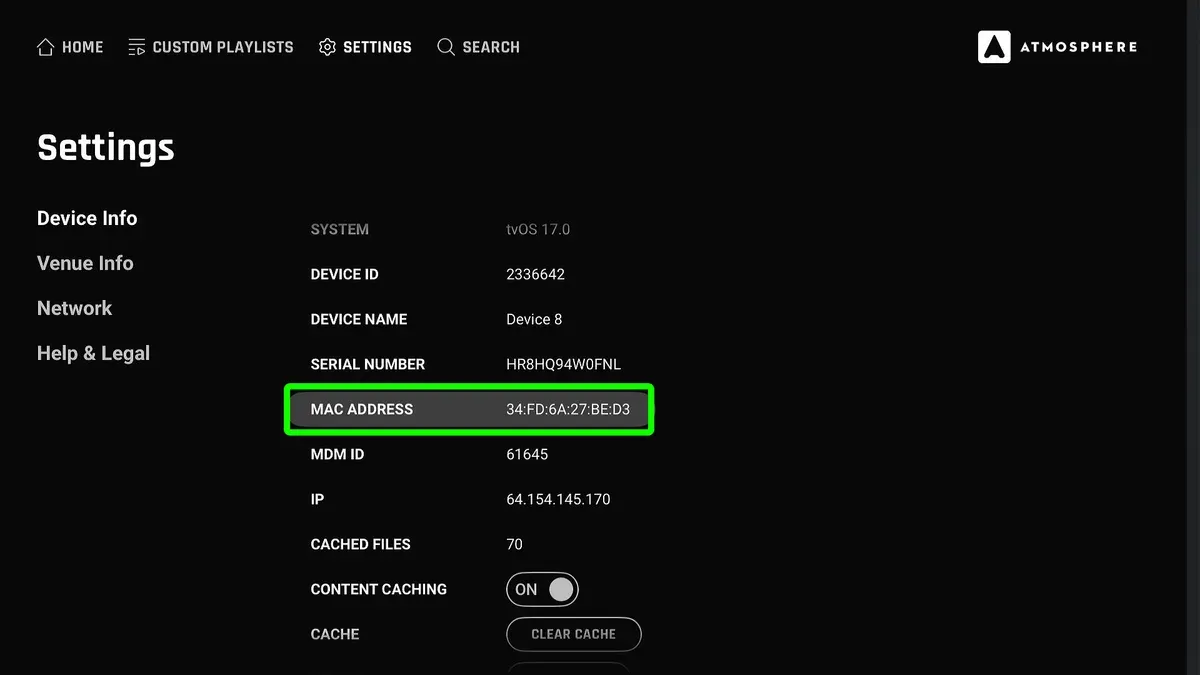
On an iPhone
- Open Settings.
- Tap General, then About.
- Scroll down to Wi-Fi Address; this is your MAC address.
On a Windows PC or Laptop
- Press Windows key + R, type cmd, and press Enter.
- Type ipconfig /all and press Enter.
- Look for your network adapter under Ethernet or Wi-Fi, and find the Physical Address; this is the MAC address.
On a Mac Laptop
- Click the Apple menu and select System Preferences.
- Choose Network, select your active connection (Wi-Fi or Ethernet).
- Click Advanced, then go to the Hardware or Wi-Fi tab to see the MAC address.
On an Xbox
- Press the Xbox button to open the guide.
- Go to Profile & system > Settings > General > Network settings.
- Select Advanced settings, and you’ll see the Wired MAC or Wireless MAC address.
On a Virtual Machine
Virtual machines often have virtual network interfaces with their own MAC addresses. To find them:
- Within the VM’s operating system, use the same steps as for Windows or Linux to check the MAC address.
- Alternatively, check the VM software’s network settings panel (e.g., VMware or VirtualBox) to view or change the virtual MAC address.
Because MAC addresses identify physical network interfaces, virtual adapters have separate MACs, which is useful when managing multiple virtual devices on the same physical network.
Frequently asked questions
What is a mac address used for in networking?
A MAC address uniquely identifies a device on a local network. It helps network devices communicate with each other by ensuring data is sent to the correct hardware. This is essential for managing device connections and maintaining network organization.
What is a wifi mac address used for?
A WiFi MAC address identifies your device’s wireless network interface. Routers use it to allow or block access, track devices, and manage network traffic. You can find it in your device’s Wi-Fi settings under network or hardware information.
What is a mac address used for in a computer network?
In a computer network, MAC addresses are used to route data packets between devices within the same local network. They help switches and routers recognize where to send information, making network communication efficient and accurate.
What is ethernet mac address used for?
An Ethernet MAC address identifies your device’s wired network interface. It allows switches to direct data packets specifically to your computer or device when connected by cable, ensuring precise communication within a local wired network.
What can a mac address be used for?
MAC addresses are used for device identification, network access control, and traffic management. Network administrators use them to filter devices, monitor connections, and troubleshoot network issues. They can also assist in tracking device activity within a network.
What This Advice Does Not Cover and When to Seek Expert Help
This article provides a clear introduction to MAC addresses and their basic uses in networking, including MAC filtering and multicast addressing. However, it does not cover advanced network security measures such as detecting or preventing MAC spoofing, nor does it delve deeply into privacy concerns related to MAC address tracking. If you need enterprise-level security solutions, such as comprehensive intrusion detection systems, advanced firewall configurations, or detailed privacy safeguards, consulting specialized resources or a professional network security expert is recommended.
As a practical next step, try locating the MAC address on one of your devices and explore your router’s MAC filtering settings. This hands-on approach helps you understand how MAC addresses function in your own network environment and allows you to experiment with simple security controls. Remember, managing MAC addresses is a foundational skill that supports better device management and network safety.
See also: What OS Does Mac Use? A Clear Guide to macOS and Its Features · Mastering Mac Users and Groups: A Clear Guide to Managing Accounts · Fix MacBook Pro M1 Pro AirDrop Not Working: A Clear Step-by-Step Guide · Bluetooth Not Available on Mac? Step-by-Step Fixes That Work