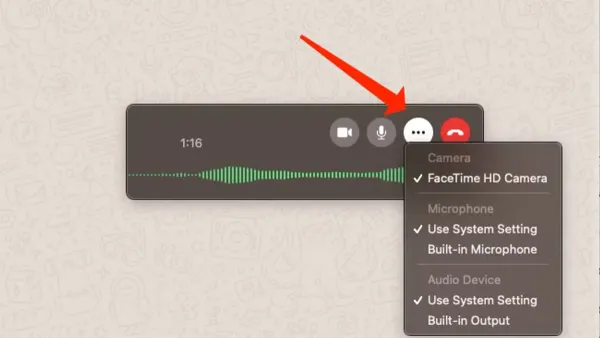
How to Make Video Calls in WhatsApp Desktop on Mac: Step-by-Step
This guide shows how to make video calls in WhatsApp Desktop on Mac, including setting permissions and avoiding common issues.

This guide shows how to make video calls in WhatsApp Desktop on Mac, including setting permissions and avoiding common issues.
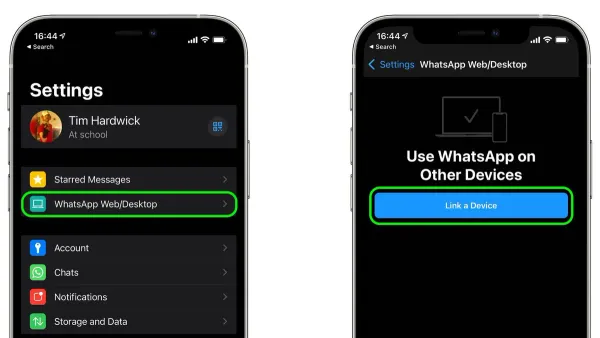
Discover how to link WhatsApp to Mac in WhatsApp Desktop with a simple step-by-step guide for smooth messaging on your Mac.
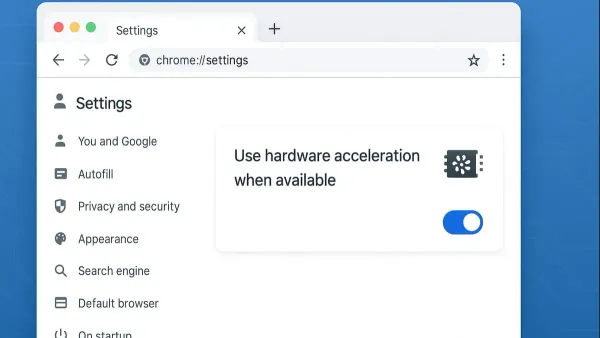
Google Chrome
Step-by-step guide to turning off hardware acceleration in Google Chrome on Mac to resolve glitches and improve video playback.
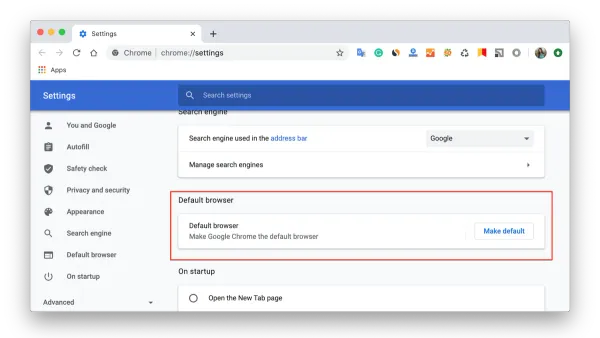
Google Chrome
Follow this clear step-by-step guide to set Google Chrome as your default browser on Mac and enjoy seamless browsing with every link you click.
Zoom
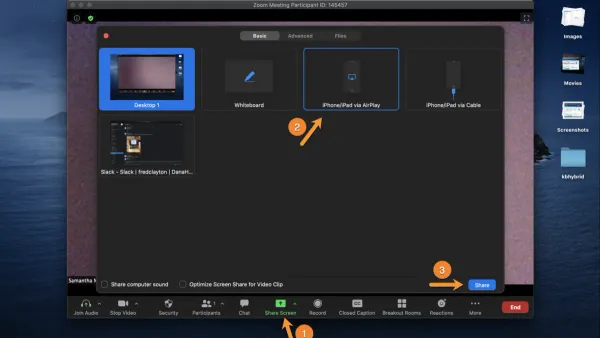
This guide shows you how to share your iPad screen in Zoom using your Mac, covering setup, permissions, and troubleshooting for smooth meetings.

Zoom
This guide shows how to record Zoom meetings locally on your Mac, including setup, alternatives, and troubleshooting for smooth recording.
Mac
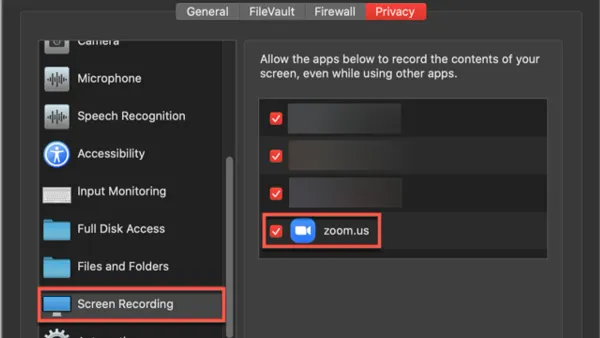
This guide explains how to enable screen recording permission in Zoom on Mac to fix greyed-out sharing options and ensure smooth meetings.
Outlook
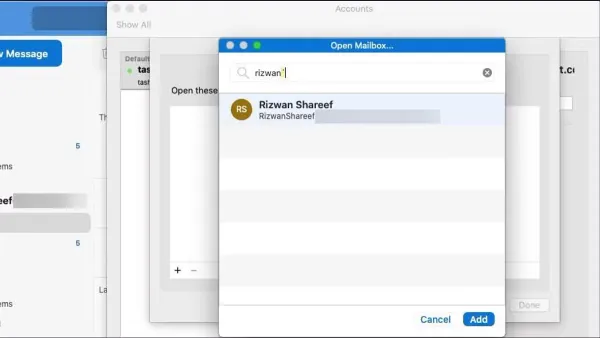
This guide explains how to add a shared mailbox in Outlook on Mac, covering permissions, setup steps, and troubleshooting for smooth email collaboration.
PowerPoint
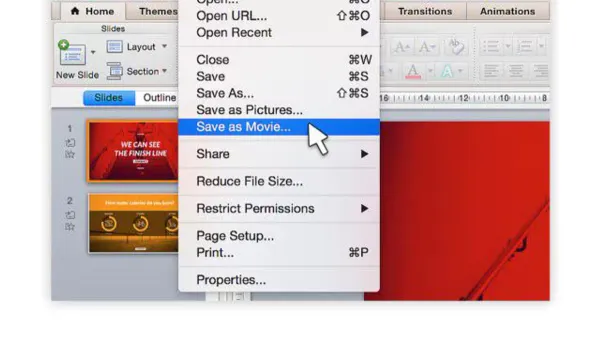
Step-by-step guide to converting your PowerPoint presentation into a high-quality video on Mac with custom timings and narrations.
PowerPoint
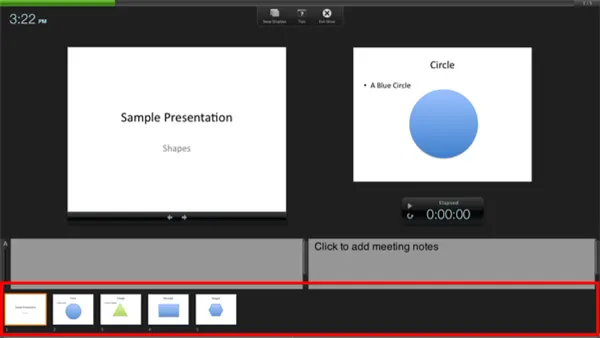
Discover how to enable and customize Presenter View in PowerPoint on Mac to keep your notes visible while presenting.
PowerPoint
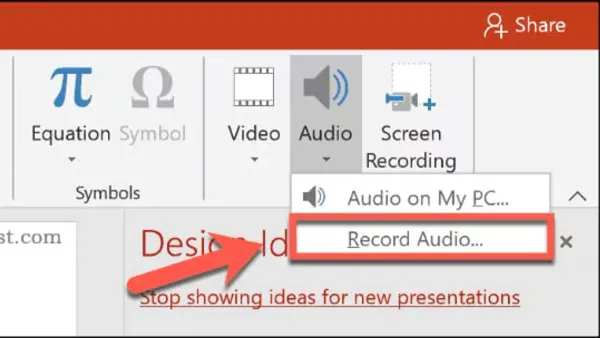
Step-by-step guide to recording voiceover in PowerPoint on Mac, including setup tips and troubleshooting for smooth narration.
PowerPoint
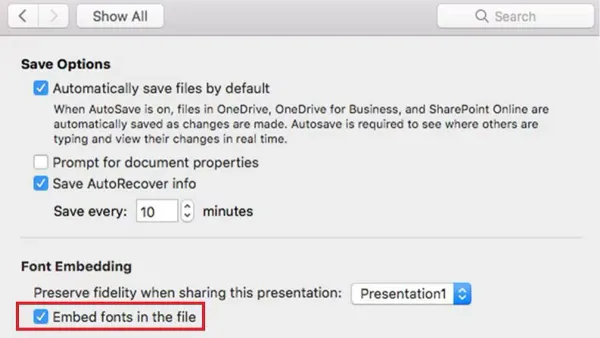
This guide explains how to embed fonts in PowerPoint on Mac to preserve your chosen typography across devices and avoid font substitution issues.